



In the fields of digital marketing and e‑commerce operations, managing multiple accounts at the same time has become the norm. But increasingly strict anti‑fraud systems on platforms make this work highly challenging—once multiple accounts are linked, you may face anything from traffic limits to permanent bans. As a professional anti‑fingerprinting browser, AdsPower promises to help marketers and online entrepreneurs manage multi‑account systems safely and efficiently. This article takes a deep dive into how it actually performs and whether it’s really worth the investment.
Imagine this scenario: you manage Facebook ad accounts for five different clients. Every day you need to log in and out, check data, and adjust campaign strategies. If you do all this in a regular browser, Facebook’s tracking system will quickly notice that these accounts are accessed from the same device and associate them with each other. Once one account is banned for a violation, the others may be penalized as well.
This risk comes from browser fingerprinting technology. Websites and ad platforms collect more than 20 parameters—such as user agent, screen resolution, system fonts, time zone, IP address—to build a unique digital identity profile for each visitor. Even if you clear cookies or use incognito mode, these underlying parameters still expose your real device information.
The value of an anti‑fingerprinting browser lies in creating fully isolated virtual browsing environments. Each virtual environment has its own fingerprint parameters, proxy IP, and session data, making platforms believe they are different real users. This is not about evading the law; it’s about protecting privacy and complying with platform rules when you legally manage multiple independent accounts.
For marketing agencies managing multiple client accounts, cross‑border e‑commerce sellers running in multiple regions, and affiliate marketers, anti‑fingerprinting browsers have already shifted from “optional tools” to “must‑haves.” Professional fingerprint browsers like MasLogin also offer similar solutions to help users reduce account linkage risks.
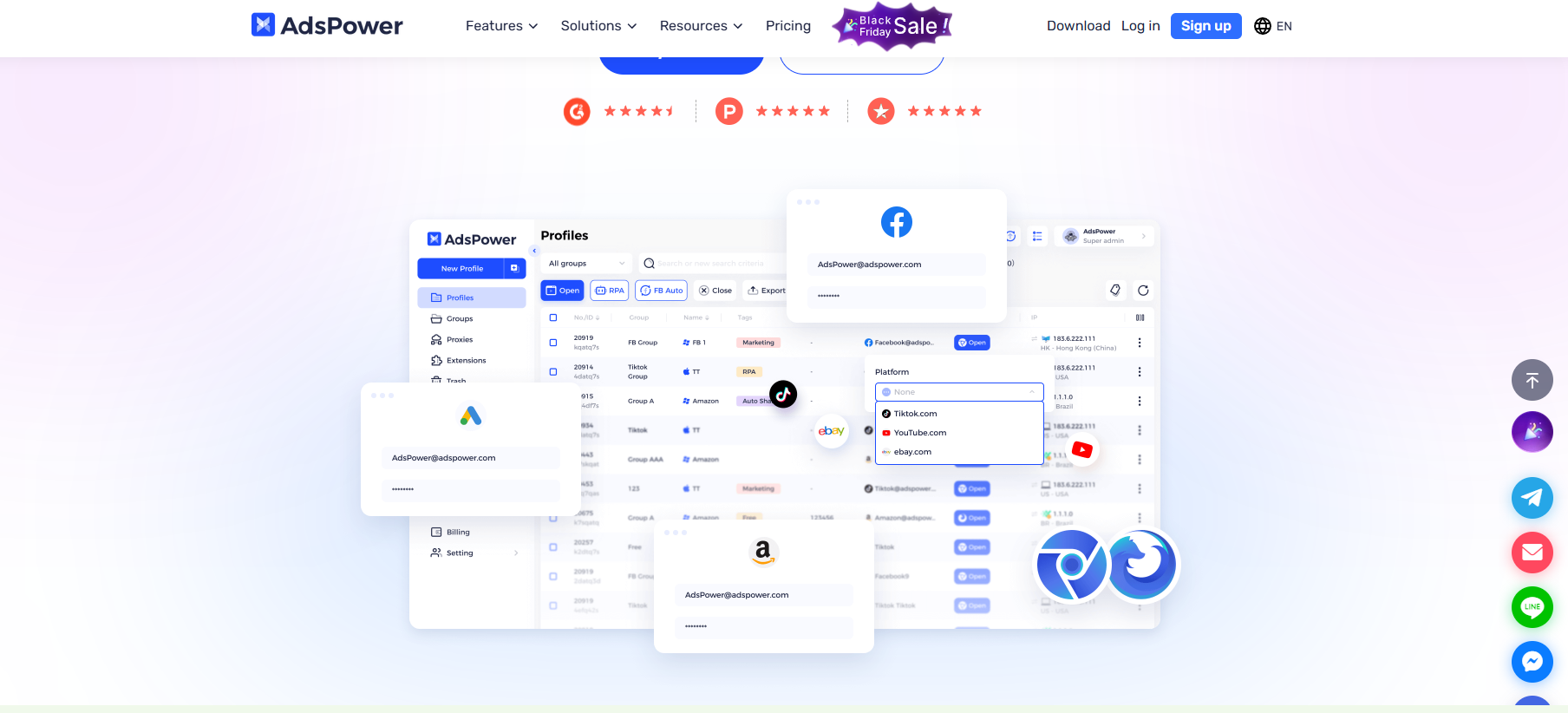
AdsPower positions itself as a “multi‑account management expert.” Built on a dual‑engine architecture using Chromium and Firefox, it offers a complete toolchain for account isolation and automation.
When you open AdsPower, the first thing you see is the profile management interface. Click “Create New Profile,” give it a name (for example, “Client A – Facebook”), choose the browser engine (Sun Browser based on Chromium, Flower Browser based on Firefox), and then start configuring fingerprint parameters.
The key here is that each profile has a completely independent storage space—cookies, local storage, browsing history, and login status are all separated. When you close a profile, its session data is safely saved, and next time you open it, everything is restored as if you never left.
For users who need to manage dozens or even hundreds of accounts, AdsPower supports grouping and bulk creation. You can create groups by client, platform, or project type and quickly find the profile you need.
When configuring fingerprint parameters, AdsPower lets you adjust more than 20 details, including:
If you’re not sure how to configure these, AdsPower provides recommended presets. These are optimized based on large datasets of real users, so they simulate natural browsing environments instead of creating obvious “template accounts.”
Note that excessive randomization can actually raise suspicion. For example, a US IP combined with Chinese language settings and Beijing time zone is clearly inconsistent. The right approach is to build a self‑consistent user persona across all parameters.
IP address is the most direct evidence of account linkage. AdsPower supports multiple proxy types, including HTTP, HTTPS, SOCKS5, and residential IP networks, and you can assign a unique IP to each profile.
To set up a proxy, you just need to enter host, port, username, and password. If you manage a large number of accounts, you can import proxy lists in bulk and AdsPower will assign them automatically. The platform also integrates a proxy marketplace with residential and mobile IP resources, making it easy for users without existing proxy suppliers to get started.
For traffic arbitrage and ad verification, residential IP rotation is particularly important. It simulates visits from real users in different locations, reducing the chance of being flagged as automated. But keep in mind that proxy stability and speed directly affect your experience, so choosing a reliable proxy provider is critical.
For more technical details on proxy setup, you can refer to the proxy configuration guide in the MasLogin Help Center, which includes best practices for different proxy types.
The most time‑consuming part of multi‑account management is often repetitive tasks—logging in, posting, liking, and checking data. AdsPower’s automation features are designed to solve exactly this pain point.
AdsPower’s built‑in RPA tool uses a “record and replay” model and requires no coding skills. The workflow:
This approach is ideal for content publishing, batch liking, data scraping, and similar tasks. For example, if you need to publish the same marketing post across 10 accounts, doing it manually might take 20 minutes, while a script can finish in 2 minutes.
However, automation must mimic human behavior. If a script clicks through pages at superhuman speed, or if all accounts perform the same actions at exactly the same time, platform anti‑fraud systems will easily detect anomalies. It’s advisable to add random delays and stagger execution times in your scripts.
Some tasks require performing the same operation across multiple accounts at once, such as updating contact information or adjusting ad settings. With AdsPower’s synchronizer, you operate one “control profile,” and other “follower profiles” will mirror its actions in real time.
This real‑time synchronization is especially efficient when you manage multiple ad accounts. You just navigate to the settings page, click the edit button, and enter a new value in one account; the others automatically complete the same steps—assuming the page structure is the same across those accounts.
For marketing agencies or e‑commerce teams, AdsPower offers a robust permission management system.
Admins can create different teams and assign specific profile access permissions to each member. For instance, junior assistants may only open pre‑configured accounts for daily operations and cannot modify proxies or fingerprint parameters; project managers, in contrast, can be given full control.
The platform also provides an activity log that records which member accessed which profile at what time and what they did. This is crucial for accountability and security auditing—if a platform flags an account for suspicious login, you can quickly trace back to the exact operator and time.
This centralized management avoids account chaos and security gaps, making it especially suitable for teams that coordinate large numbers of client accounts.
AdsPower uses a subscription model, with prices based on the number of profiles and team members.
The Free Plan offers a limited number of profiles and basic features, suitable for first‑time users. If you just want to test the basic principles of an anti‑fingerprinting browser, the free plan is enough.
The Professional Plan offers options for 10/20/50 profiles, and you can choose the number of team members as needed. Yearly billing saves 40%, quarterly saves 20%, and monthly billing is also available. For solo marketers or small studios, the 20‑profile package usually covers the main needs.
The Enterprise Plan starts at 100 profiles and can scale in steps of 100/200/300, suitable for agencies managing large‑scale account matrices. While the price may look high, once you factor in the cost of account bans and the labor saved by automation, the subscription often pays for itself quickly.
When choosing a plan, first estimate how many accounts you actually need to manage, then add a 20%–30% buffer for growth. If you’re on a tight budget, you can start with the Professional Plan and upgrade as your scale increases.
To learn about other fingerprint browsers’ pricing models, you can check the MasLogin official website and choose the most cost‑effective option.
AdsPower’s biggest strength lies in its comprehensive feature set and reliability. From basic profile management to advanced automation tools, everything has been battle‑tested in real‑world scenarios. The dual‑browser engine improves compatibility with different websites, and the team features make multi‑user collaboration manageable and controlled.
For marketers who switch accounts frequently, the time savings are obvious. Instead of repeatedly logging in and out, clearing cache, and changing proxies, you just click a different profile and switch instantly. This smooth workflow significantly boosts productivity.
However, AdsPower is not without barriers. New users must understand concepts like browser fingerprints, proxy configuration, and automation scripts, so there is likely to be an initial trial‑and‑error phase. Although the platform offers detailed tutorials and customer support, moving from “heard of it” to “using it well” still requires time and learning.
In terms of cost, subscriptions can add up quickly if you need to manage many profiles. For budget‑constrained solo entrepreneurs or small teams, this might be a significant expense. In such cases, alternatives like MasLogin may be worth considering; they often have more flexible pricing while offering similar core features.
Another critical issue is the risk of over‑reliance on automation. Even with an anti‑fingerprinting browser, poorly designed automation (e.g., overly high operation frequency, highly mechanical patterns) can still trigger platform anti‑fraud systems. Automation must be based on “simulating human behavior,” not just maximizing speed.
AdsPower’s effectiveness largely depends on proxy quality. If your proxies are unstable, slow, or on platform blacklists, even the best fingerprint configuration won’t protect your accounts. It’s essential to choose reputable providers and regularly test proxy performance.
For cross‑border e‑commerce or scenarios where you need to simulate users from specific regions, residential IPs are usually the better choice. They’re more expensive but offer characteristics much closer to real user traffic, reducing the risk of detection.
AdsPower is not for everyone. It’s aimed at professionals who rely on multi‑account management to keep their business running.
Digital marketers and ad agencies are the most typical use case. If you manage multiple clients’ ad accounts on platforms like Facebook, Google Ads, or TikTok, AdsPower helps keep those accounts isolated and reduces chain bans caused by association.
Affiliate marketers often need to test different offers and track conversions from multiple traffic sources. Using AdsPower to create isolated test environments avoids data contamination and lowers the risk of accounts being flagged.
Cross‑border e‑commerce sellers operating multiple stores across different countries or regions must ensure each store’s environment is isolated. AdsPower can set each store to use IPs and language environments corresponding to its target region, making platforms believe they are run by genuine local operators.
In traffic arbitrage and ad verification, you need to switch locations frequently to verify how ads are displayed in different regions. AdsPower’s proxy rotation lets you quickly change IPs and simulate users worldwide.
Conversely, if you only occasionally manage one or two personal accounts or don’t need strict isolation, AdsPower may be overkill. A standard browser with a password manager and incognito mode might already be enough.
To learn more about use cases and technical details of anti‑fingerprinting browsers, you can visit the MasLogin glossary for in‑depth explanations.
Create separate profile groups for each client or project, and use clear naming conventions (such as “Client‑Platform‑Purpose”) so you can quickly locate what you need. Regularly clean up unused profiles to avoid wasting system resources.
It’s wise to set up backup profiles for critical accounts. If the main profile runs into issues, you can quickly switch to the backup environment and minimize downtime.
When choosing proxies, prioritize IPs that match the target region of the account. For example, if you run an e‑commerce store targeting the US market, you should use US residential IPs rather than European or Asian IPs.
For long‑term, stable operations, static IPs may be safer than frequent rotation. Platforms tend to trust consistent access from a fixed location, while constantly changing IPs can appear suspicious. IP rotation is more suitable for short‑term tests or scenarios where you need to mimic users from many regions.
Time zone, language, and resolution should match the geographic location of the proxy IP. Using a New York IP with Beijing time zone is an obvious inconsistency that can expose a fake identity.
If you’re unsure how to set a particular parameter, refer to the typical user profile for the target platform. For example, Instagram’s main users access it on mobile devices, so a mobile‑like configuration may look more natural than a pure desktop profile.
Add random delays (e.g., 2–5 seconds) in scripts to simulate human thinking and reaction time. Avoid all accounts performing actions at exactly the same moment; introduce time offsets between them.
Always test scripts on a small subset of accounts first. Once you’re sure everything behaves naturally and safely, then roll them out more widely. Keep a record of each run, and if any account shows anomalies, stop the related scripts and investigate immediately.
AdsPower and MasLogin are both professional anti‑fingerprinting browsers with similar core features but different emphases.
AdsPower’s strength lies in its rich automation tools. RPA and the synchronizer are very friendly to users who frequently perform repetitive tasks, making it ideal for marketing agencies and e‑commerce sellers.
MasLogin has an edge in user experience and pricing flexibility. Its interface is more streamlined and intuitive, making it easier to get started, and it offers more varied subscription options that are kinder to small teams and solo founders.
In terms of feature depth, both support fingerprint customization, proxy configuration, and team collaboration. The main differences are in workflow design and additional features. If you prioritize complex automation, AdsPower is likely the better choice; if you care more about ease of use and cost‑effectiveness, MasLogin may be preferable.
The best approach is to sign up for free trials and test both in practice. Each tool has its own ideal scenarios; the right choice is the one that best fits your business needs.
As a mature anti‑fingerprinting browser, AdsPower does offer a professional‑grade solution for multi‑account management. Its profile isolation, fingerprint customization, automation tools, and team collaboration features can significantly boost the efficiency of marketers and e‑commerce sellers while reducing the risk of account linkage.
But it’s important to be clear that AdsPower is not a magic bullet. It requires users to understand how fingerprints and proxies work, invest time in optimizing configurations, and use automation carefully. Any misconfiguration or misuse can still get your accounts flagged.
For professionals whose business depends on multi‑account management, AdsPower’s subscription fees are usually offset quickly by preventing bans and improving productivity. For users with limited budgets or those just getting into anti‑fingerprinting browsers, alternatives like MasLogin may be a more suitable starting point.
Whichever tool you choose, the core principle remains: make every account look like a real user, not a bot. Technology is only an auxiliary; a deep understanding of platform rules and realistic user behavior is the key to long‑term, safe operations. You can visit the MasLogin blog for more practical tips on multi‑account management and fingerprint browsers.
Q1: Can AdsPower completely prevent account bans?
No. AdsPower only reduces the risk of account linkage; it cannot guarantee 100% safety. If an account violates platform rules or if automation scripts are poorly configured, bans can still happen. The key is to configure fingerprint parameters properly, use reliable proxies, and comply with platform policies.
Q2: Is using an anti‑fingerprinting browser legal?
Using an anti‑fingerprinting browser is legal in itself; its purpose is to protect privacy and manage multiple accounts, not to engage in illegal activities. However, using it for fraud, fake traffic, or other illegal behavior is against the law. Legal use requires that you have legitimate rights to manage these accounts and that you comply with platform terms of service.
Q3: What’s the difference between AdsPower and normal browser incognito mode?
Incognito mode in a regular browser only prevents local storage of cookies and history; it does not change fingerprint parameters like user agent, screen resolution, or system fonts. Platforms can still identify your device using these. AdsPower allows deep customization of these parameters so each profile looks like a different real user.
Q4: Do I need a separate proxy IP for each account?
In theory, yes. If multiple accounts share the same IP, they can still be linked. For short‑term tests or low‑risk scenarios, temporary IP sharing may be acceptable. But for core accounts or high‑value businesses, it’s strongly recommended to assign each profile its own residential IP, and the IP region should match the account’s target market.
Q5: Will AdsPower’s automation make my accounts look like bots?
If scripts are poorly designed, they can indeed expose bot‑like behavior. You should add random delays and randomize operation order so that not all accounts perform actions at the same time. The core of automation is to “simulate real users,” not to run as fast as possible. Always test on a small scale first and only expand after confirming that behavior looks natural.
Outline


_00000.png)

