As online privacy awareness continues to grow, more users are turning to browser-based privacy tools — especially browsers with built-in VPNs. But are these VPNs truly safe and reliable, or are they just marketing gimmicks designed to make money?
In this article, we’ll dive deep into the performance, security, and pricing of built-in browser VPNs, and recommend trustworthy alternatives that actually protect your privacy.
A built-in browser VPN is a virtual private network integrated directly into a web browser — examples include Brave VPN, Opera VPN, and Aloha Browser VPN.
These services claim to protect your privacy, hide your IP address, and encrypt your browsing activity.
However, many of them suffer from serious limitations:
👉 Related reading: [What Is a VPN and How Secure Is It?]

Pros: Supported by Guardian; third-party audited; device-level encryption; includes firewall protection.
Cons: Only ~300 servers across 40 countries; unstable connection speeds; limited streaming access; expensive at $100/year.

Pros: Free plan hides your IP; Pro version offers full-device coverage.
Cons: Free version works as a proxy only; cannot choose server locations; slow connection; Pro version offers low value for the price.
Cons: Aloha’s free version frequently disconnects and lacks location selection; Epic Privacy Browser acts as an encrypted proxy only, with blocked servers and potential IP leaks.
Summary:
Most built-in VPNs are slow, have limited servers, and lack advanced features — making them poor standalone solutions.
Compared to built-in browser VPNs, third-party VPNs such as NordVPN and Surfshark offer greater reliability and performance:
👉 Recommendation: Use NordVPN or Surfshark for complete online privacy and security.
When evaluating browser VPNs, consider the following:
Most built-in VPNs (Brave VPN, Opera VPN, Aloha Browser VPN) promote privacy, but in real-world use they face major drawbacks:
These limitations pose risks for users in digital marketing, cross-border e-commerce, and online advertising, where privacy and reliability are critical.
Unlike traditional built-in VPNs, the MasLogin Fingerprint Browser offers an integrated IP proxy system that not only hides your IP address but also provides multi-account isolation and professional-grade privacy protection.
Here’s what makes it stand out:
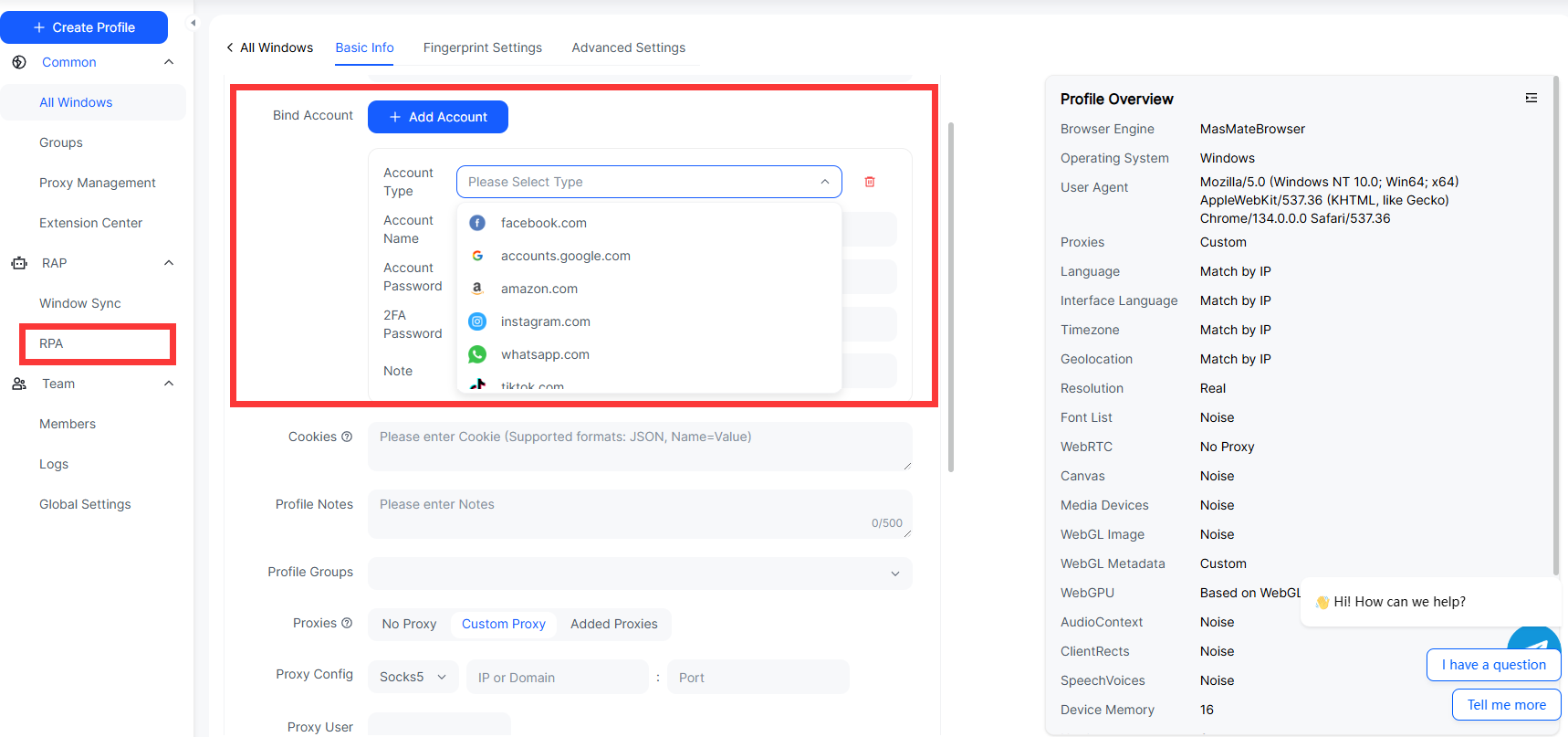
MasLogin enables users to manage multiple Facebook, Google, or e-commerce accounts securely — each running in its own environment with an independent IP and browser fingerprint.
This prevents cross-account association and significantly reduces the risk of bans.
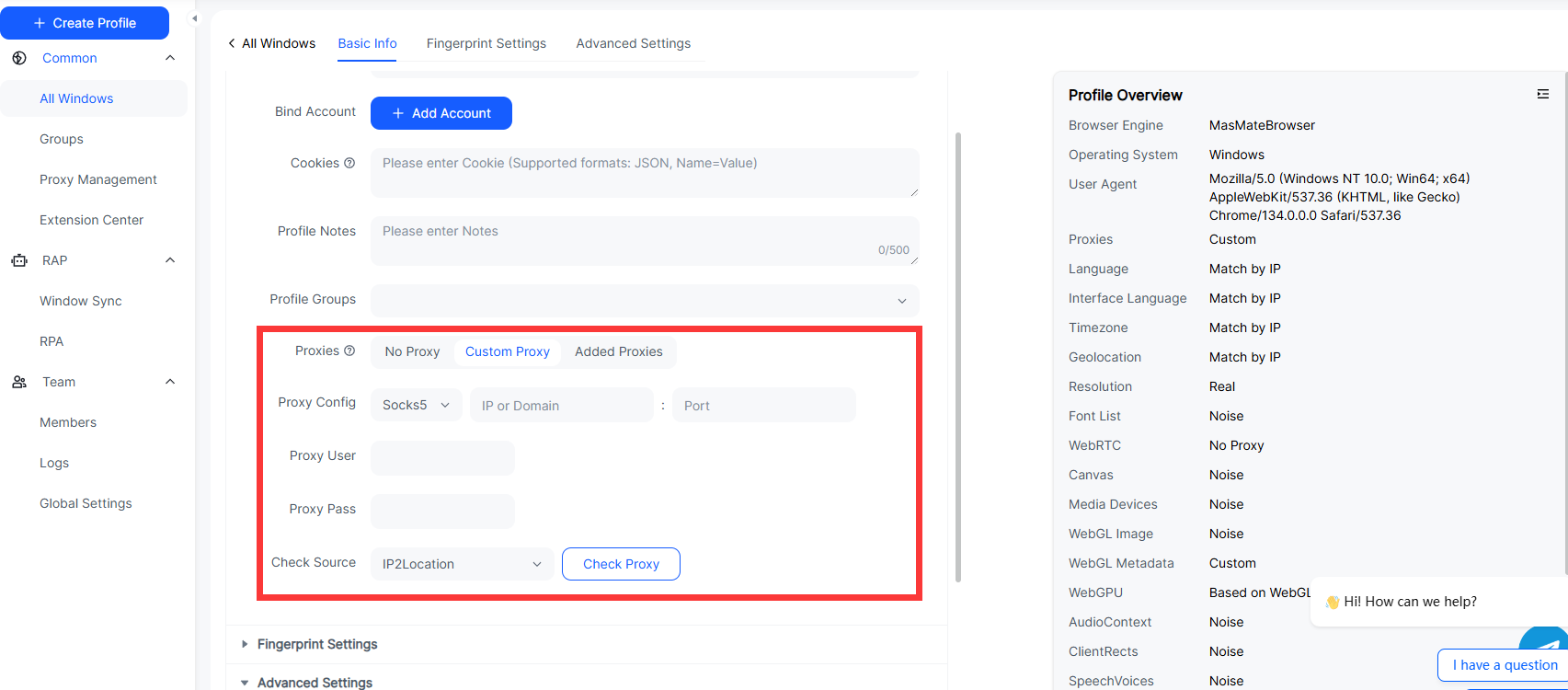
Powered by global proxy nodes, MasLogin ensures fast and consistent connectivity.
Unlike most VPNs with limited servers, MasLogin supports smooth streaming, ad management, and data scraping with no interruptions.
MasLogin doesn’t just protect browser traffic — it extends IP masking and encryption to the entire system, offering complete anonymity and data safety beyond the browser.
A: Some (like Brave VPN) offer solid protection, but most are just proxies without full-device encryption.
A: Not really. Most have few servers and are easily blocked by streaming platforms. Professional VPNs perform far better.
A: Yes. For stronger privacy, faster speeds, and full-device protection, use NordVPN or Surfshark.
A: MasLogin provides real device-level IP masking, multi-account isolation, and automation tools, far beyond what standard VPNs offer.
A: Absolutely. Each account uses a unique fingerprint and IP, ensuring complete isolation and preventing detection or bans.
Outline