After watching tutorials about “cloud phone + browser,” many people find that although this combo lets them create a US Instagram account, once they start bulk registration and bulk warming, getting banned becomes almost inevitable.
If you want to build a long‑term account matrix and run cross‑border operations, a single cloud phone + a single browser is far from enough. What you really need is: a stable US network environment + device fingerprint isolation + a reasonable warming strategy. This is exactly where fingerprint browsers like MasLogin deliver their greatest value.
I. Why Is Everyone Looking for “US Instagram Account Registration Tricks”?
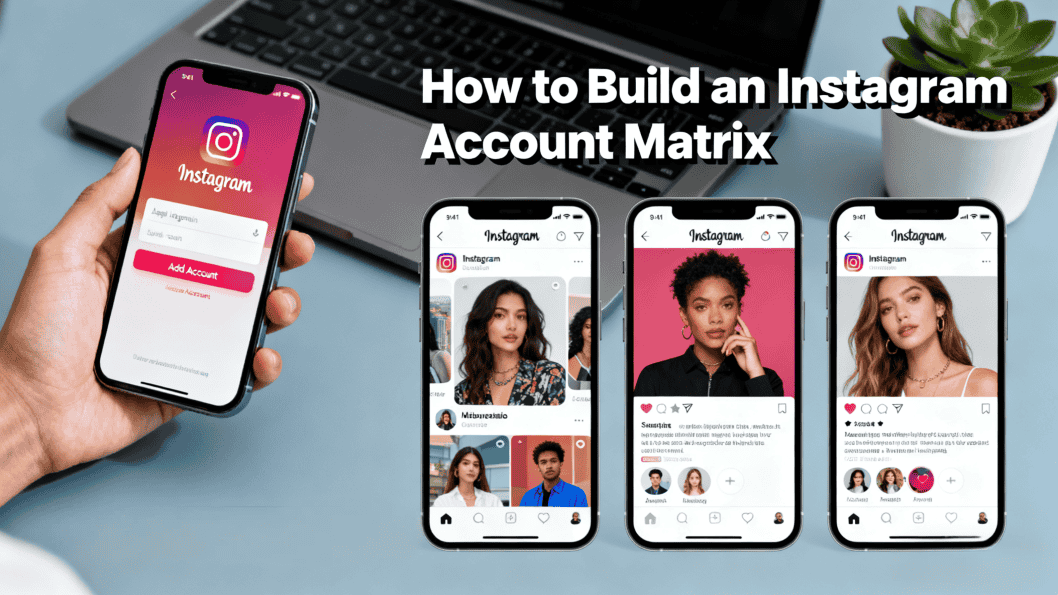
People in cross‑border industries increasingly understand one reality: accounts are assets, and “US Instagram / US Facebook accounts” tend to be more valuable.
US accounts are more popular mainly because:
- For cross‑border e‑commerce and independent site ads, US traffic has high quality and strong purchasing power
- For affiliate marketing or traffic generation, US‑related offers pay higher rates
- For influencer matrices, US‑based accounts are more attractive to brands and advertisers
The problem is, traditional registration methods no longer work well:
- If you use the same device and same browser, even if you frequently switch proxies, Instagram/Facebook’s risk control will quickly be triggered
- Platforms don’t just look at IP; they also evaluate browser fingerprints, hardware info, and usage patterns to judge whether accounts are “mass‑produced”
- When a batch ban wipes out a dozen or even dozens of accounts you painstakingly warmed, the cost of “account death” becomes huge
So many people start trying the method shown in tutorials: cloud phone + browser plus a US IP to look like a real US mobile user.
But if you only rely on proxies and a regular browser, platforms can still easily identify your accounts as coming from “the same batch of devices.” To truly achieve “unlimited profile without getting banned,” the key is to make each account look like an independent, real‑user environment—which is where combining cloud phones with fingerprint browsers comes into play.
II. Cloud Phone + Fingerprint Browser: The Core Logic of Building a Safe “US Device Environment”
What Cloud Phones Do: First Solve the “Device Isolation” Problem
A cloud phone is essentially a “virtual phone in the cloud” that you control remotely from your local PC or phone. For running Instagram, Facebook and similar platforms, it offers several advantages:
- Each cloud phone equals an independent device, so you avoid the risk of multiple accounts being easily linked like when you keep switching accounts on a single physical phone
- Cloud phones can stay online 24/7, suitable for long‑term login and continuous warm‑up
- The platform sees a mobile environment, which aligns better with normal IG/Facebook usage patterns
This is why many videos recommend: install a browser (such as DuckDuckGo) inside a cloud phone, open instagram.com, and register US accounts.
The Risk of Relying on Normal Browsers: Highly Similar Fingerprints
Browsers like DuckDuckGo do offer privacy features (clearing cookies, blocking trackers), but in the eyes of Instagram and similar platforms, the browser fingerprints remain highly similar. For example:
- Same browser version, engine, fonts, and OS information
- Same Canvas / WebGL fingerprints
- Combined with identical or similar IP ranges, they are easily flagged as “bulk operations”
In other words: you’ve achieved device isolation, but “identity isolation” is still far from sufficient.
Why Introduce the MasLogin Fingerprint Browser
MasLogin Fingerprint Browser has a clear positioning: an anti‑detection browser designed specifically for multi‑platform, multi‑account management. What it does is generate a unique browser environment for each account, including:
- Independent browser fingerprints: OS, resolution, language, time zone, fonts, Canvas, WebGL, etc.
- Independent cookies, cache, and local storage
- Independent proxies (US/UK/other countries’ residential or mobile IPs)
In MasLogin, each browser profile is a “virtual user.” To Instagram/Facebook, this looks much more like many real users scattered across different cities than one person running dozens of accounts from a single device.
There are two typical combination methods:
- PC‑only: MasLogin + US proxy → open Instagram/Facebook web version to register and operate
- Cloud phone + MasLogin: the cloud phone handles a small number of mobile‑side actions, while the core account environment (IP, fingerprint, cookies) is centrally managed by MasLogin
III. In Practice: Creating a Stable US Instagram Account from Scratch
Step 1: Prepare a “US‑Dedicated Environment” (Device + IP + Fingerprint)
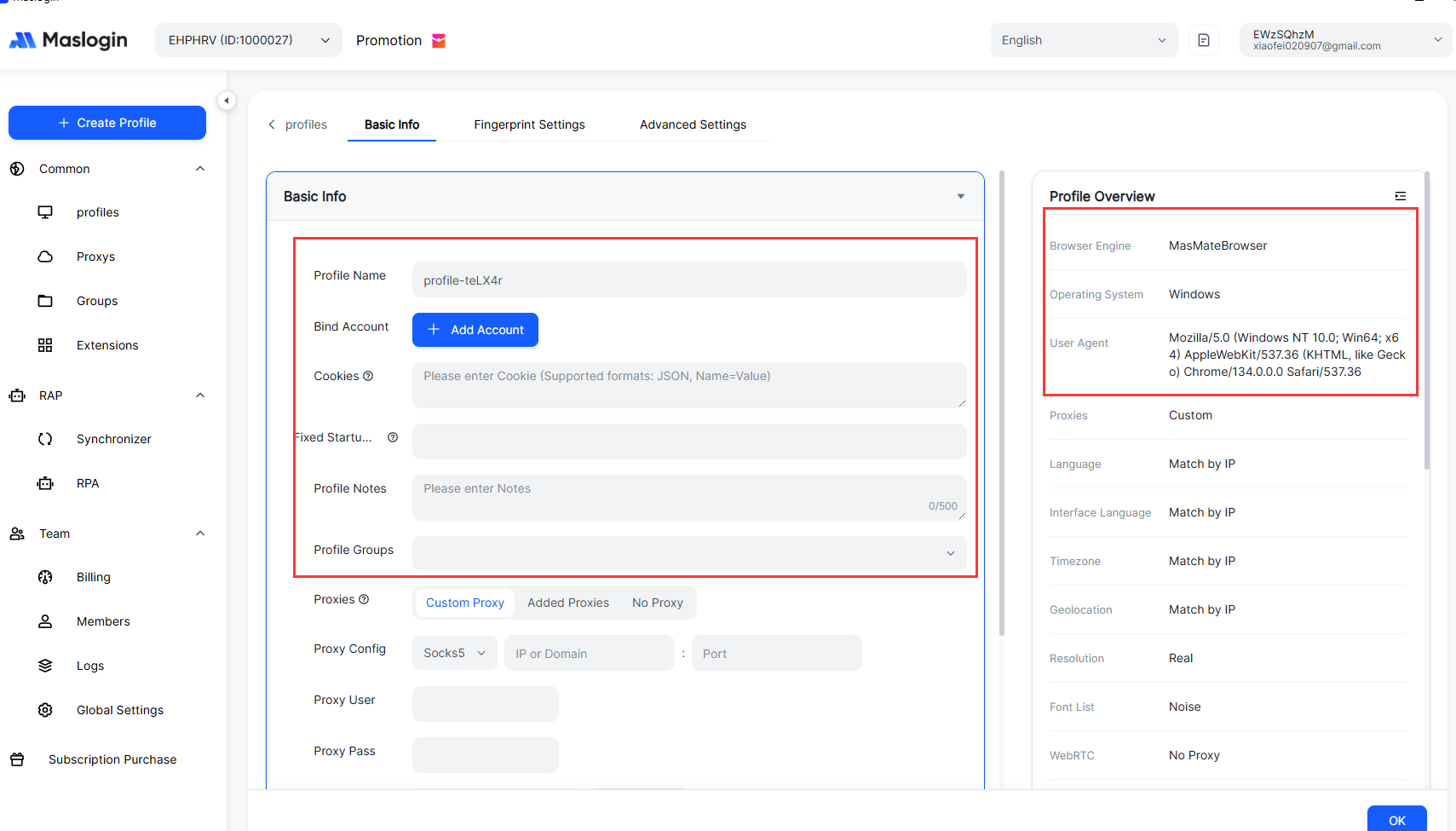
- Choose a reliable US IP Prioritize residential or mobile proxies over cheap datacenter IPs Keep IP geolocation, time zone, and language consistent (e.g., if you choose Los Angeles, set the browser time zone to Los Angeles)
- Create a “US browser profile” in MasLogin Region/Language: set Locale to US; browser language to English (US) Time zone: match your proxy’s city Resolution, OS version: keep them random but reasonable, resembling common US consumer computers Bind a fixed US proxy to this profile so it’s “the same American” from the moment it’s created
- If you’re also using a cloud phone The cloud phone mainly acts as a “mobile operation interface” for posting Stories, watching Reels, etc. Don’t constantly switch accounts inside the cloud phone; perform key account operations (initial registration, critical changes) in MasLogin whenever possible
Step 2: Use Email to Register a US Instagram Account
The tutorial flow basically is: open instagram.com inside a cloud phone + browser, then register with email. Doing this in the MasLogin environment is similar:
- Open the US browser profile you just created in MasLogin
- Visit instagram.com → click Sign up
- Choose “Sign up with email” instead of using a phone number
Pay attention to these points for email registration:
- The email must be clean: it must not have been bound to a previously banned IG account
- The email address should look normal: avoid obvious bulk‑account patterns like aaa111bbb222
- One MasLogin profile should correspond to one IG account + one email; don’t mix them
Key points for the registration form:
- Full name: choose a common US name (e.g., John Miller) and avoid names that look too obviously fake or tool‑generated
- Password: include letters + numbers + special characters, with a reasonable length
- Birthday: avoid extremes like very young ages or just turning 18; somewhere in the 22–35 range is safer
- After submitting, enter the email verification code as prompted to complete registration
Step 3: Phone Verification and US Number Options
Tutorials often suggest using SMS activation platforms or virtual numbers if you need a US phone number. In real use:
- SMS activation platforms: low cost, suitable for one‑time verification codes
- Long‑term virtual US numbers: more expensive, but better for long‑term binding and receiving risk‑control texts, offering higher stability
When is a phone number essential?
- When Instagram detects unusual or remote logins and requires SMS verification
- When changing sensitive info (password, email) or doing business‑related bindings
- If you’re running a large‑scale matrix, it’s strongly recommended that each account has a unique phone number to avoid batch bans
A more stable approach:
- Start with email registration + light warming
- After the account shows normal behavior and some trust, bind a long‑term usable US number
IV. How to Safely Bulk Create and Maintain a “US IG Account Matrix”
Core Principle: One Device per Account, One Environment per Identity
The phrase “unlimited profile without getting banned” in those video titles doesn’t actually mean “go crazy registering unlimited accounts on the same device.” It really means:
Create a completely independent environment for each account.
In MasLogin, this means:
- Each Instagram account corresponds to one browser profile
- Each profile has: unique fingerprint + unique US proxy + unique cookies
- Don’t log multiple accounts in and out within the same profile
To Instagram, these accounts resemble:
- Real users living in different locations
- Each with stable devices and browsing habits
- Sometimes online, sometimes just scrolling content—unlike robots
Multi‑Account Warming Rhythm: A 7–14 Day “Safety Window”
Many accounts die because they’re “too rushed.” A healthier rhythm:
- Days 1–3: Only browse the timeline and recommendations, stay on pages a bit Light interactions: a few likes, follow 3–5 official or big accounts
- Days 4–7: Gradually increase browsing time and engagement frequency Keep follows to within 10–20 per day; avoid frequent follow/unfollow spam You can post one or two lifestyle photos or simple updates
- Days 8–14: Start posting content according to the account’s positioning, with some regularity Design behavior like a “normal US user”: Active during US daytime, relatively quiet at night Consume and interact mainly with US domestic content
Common Pitfalls in Multi‑Account Operations and How to Fix Them
Typical mistakes:
- Rapidly switching logins between many accounts in the same browser
- Using the same proxy IP range with highly similar fingerprints for multiple accounts
- Immediately spamming ads, DMs, or identical content from each new account
Mitigation strategies with MasLogin:
- One account per profile—do not mix logins
- Distribute different business lines across different IP ranges where possible
- Use the MasLogin Help Center to structure your account system and operation rules, and keep team behavior consistent
V. Cloud Phone vs. Fingerprint Browser: How to Choose and Combine
The “Cloud Phone + Browser” Setup from Tutorials: Pros and Cons
Pros:
- Operation feels close to a real phone, easy for beginners
- Convenient for strategies that rely heavily on app‑only features (Reels recording, in‑app filters, etc.)
Cons:
- Difficult for large‑scale management: switching between dozens of cloud phones is time‑consuming
- At the fingerprint level, you only get “device isolation,” not precise “identity spoofing”
- Network instability and performance issues in some cloud phones can cause abnormal behavior and flagging
When MasLogin Fingerprint Browser Shines
MasLogin is better suited for people who truly treat accounts as assets:
- Easily manage 10/100/1000+ IG/FB accounts
- Support detailed fingerprint parameter tuning to evade platform anti‑scraping tests
- Works well with team collaboration: assign different profiles to different members without interference
Ideal users include:
- Cross‑border e‑commerce and independent‑site teams
- Ad buying, affiliate marketing, and long‑term traffic‑generation teams
- Studios / MCNs / content teams that need to accumulate and maintain account assets
Recommended Combination Strategies
- Small‑scale users (1–5 accounts): You can primarily rely on cloud phones with simple proxies and light fingerprint isolation to test the waters The priority is understanding registration rhythm and warming logic
- Medium‑to‑large‑scale users (10+ accounts): Use MasLogin as the main tool to centrally manage environments and proxies Only connect a subset of key accounts to cloud phones for mobile‑side operations; maintain the rest via web in MasLogin Use folders, tags, etc. to separate projects and business lines; the MasLogin Glossary helps you quickly understand related terminology
If you also run Twitter/X and other platforms, you can check the corresponding ban‑prevention and warming strategies on the MasLogin blog; the overall logic is similar to Instagram.
VI. Who Is Best Suited for the “US IG Accounts + MasLogin” Setup?
This combo isn’t just for “techies.” It’s actually ideal for:
- Cross‑border e‑commerce sellers: Building store matrices, product testing, and content ads that need numerous US entry points
- Content creators / MCNs / influencer incubators: Bulk‑creating US persona accounts to funnel traffic to main accounts or to attract overseas ad deals
- Affiliate marketers / “gray‑hat” traffic workers: Running many offers in parallel and comparing results, without having entire batches wiped out
- Individuals building a “foreign identity”: For example, US study‑abroad bloggers, US personal brands, US career personas, etc.
For these users, MasLogin is not just a “VPN‑style tool” but an account asset management system: it helps transform accounts from “fragile small alts that die easily” into “stable, long‑term monetizable assets.”
FAQ
Do US Instagram accounts have to be registered with a US phone number?
No. You can start with email registration, plus a US IP and US time‑zone environment for normal warming. Later, when you need to boost trust or face frequent risk checks, binding a US phone number will make things more stable.
Can I just use proxies without a fingerprint browser?
You can, but it’s risky. Changing IPs without changing browser fingerprint still lets platforms recognize you as the same batch of devices, significantly raising the likelihood of multi‑account linked bans.
How many Instagram accounts can I log into from one MasLogin profile?
Multiple logins are not recommended. In practice, one profile should correspond to one Instagram account to avoid accounts being linked via the same fingerprint and cookie environment.
Do I have to use both cloud phones and MasLogin together?
No. Small‑scale users can stick to cloud phones only, while larger matrices should use MasLogin as the main tool and cloud phones as a supplement. The crucial thing is ensuring each account’s environment is truly independent.
When bulk‑registering US Instagram accounts, what registration speed is relatively safe?
Don’t register too many accounts in the same time slot. A safer method is to: register a small number of accounts at staggered times each day, each under a different MasLogin profile + different US proxy. Then warm each account for at least 7–14 days before ramping up large‑scale promotion or commercial activity.