For many people who want a side hustle or to move into e-commerce full time, eBay is still one of the best beginner-friendly platforms in 2025—global traffic, generally higher order values, and relatively clear rules.
But the first time you actually try to sell something, things like registration, selling limits, shipping, fees and taxes are enough to scare you away.
This article is based on the latest tutorial from a seller who has been full-time on eBay for 8 years, consistently doing six figures a year and millions in total sales. We’ve turned it into a practical 9-step roadmap to help you build a real eBay business from scratch, instead of just “hearing it’s profitable”.
I. Why eBay is Still Worth Starting on in 2025
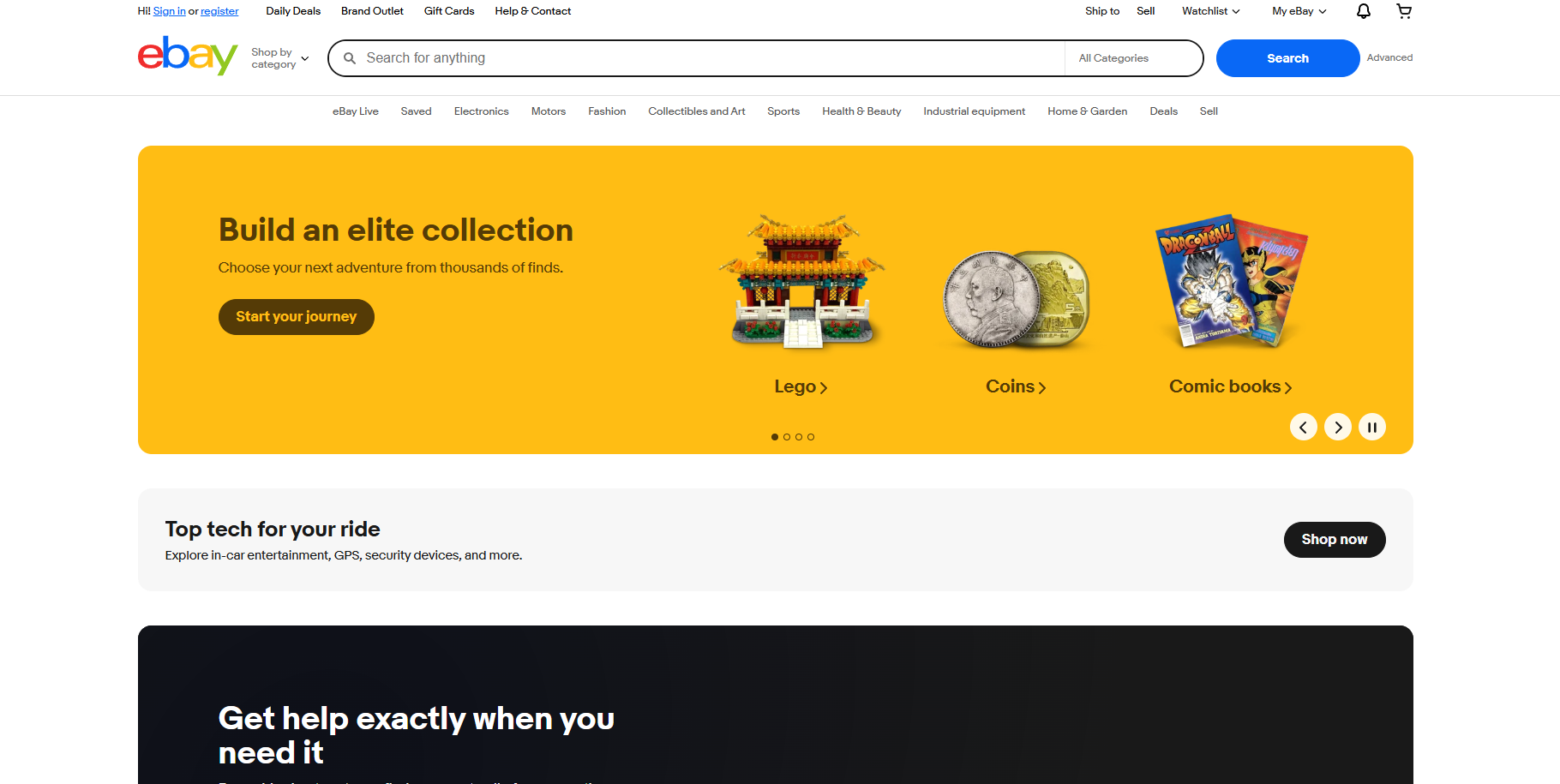
Compared with many newer platforms, eBay still has very real advantages for beginners:
- Global buyers Your products naturally reach international customers instead of being locked to one country.
- Wide categories From used electronics and video games to collectibles and clothing, almost every niche has a mature buyer base.
- Transparent rules As long as you ship on time, upload tracking, and describe items accurately, your feedback and selling limits will steadily grow.
- Side-hustle friendly You can start simply by selling items lying around your house—no need to lock up a lot of money in inventory on day one.
The key is: you need to play by the rules, understand tax, shipping and costs, and not only stare at “gross sales”.
II. Step 1 – Create Your eBay Seller Account (2025 Updated Flow)
In the past you had to create both a PayPal account and an eBay account, and your payouts went through PayPal. Now eBay has its own in-house payment processing, so new sellers no longer need PayPal just to get paid.
The basic setup is simple:
- Go to the correct site for your region (e.g. ebay.com for the US, ebay.com.au for Australia).
- Click “Create an account” to register a personal account.
- Upgrade it to a Seller Account by following the prompts.
- Add your payout method (bank details etc.) so eBay can send you your funds.
Do you need an eBay Store subscription right away?
- No, not at the beginning.
- When you expect to list about 50+ items per month, it makes sense to consider a basic Store plan, so you can: Run Store-wide promotions; Get discounts on insertion fees; Manage and organize inventory more efficiently.
But note this very clearly: subscribing to a Store does not increase your “selling limits”. For a new account, selling limits are still the same.
III. Step 2 – Understand New Seller Limits and How to Grow Them
Brand new accounts will be assigned Selling Limits. A typical starter limit looks like:
- You can sell 10 items in the first month;
- With a total value up to $500.
Which means you could:
- Sell 10 items averaging $50 each, or
- Sell 1 item worth $500.
Once you hit either the quantity or value limit, you’re done listing for that month.
How do you increase selling limits?
- Ship on time and always upload tracking numbers;
- Make sure items match descriptions to avoid returns and disputes;
- Maintain good feedback and low defect rates.
eBay will automatically review and increase your limits over time if you behave like a reliable seller. You can also manually request a limit increase once per month—but whether they approve you still depends on your performance.
One more time, because it’s important: Even if you pay for a higher-tier Store subscription, your selling limits will not automatically increase. In the early stage, the real priority is using your current limit to build a clean track record, not buying fancy Store tiers.
IV. Step 3 – Start With Items Around Your House Instead of Buying Inventory
The safest, lowest-risk way to start is not to rush out and buy wholesale or bulk inventory, but to:
“Shop your house first” and use existing items to build your first batch of sales.
Good starter categories:
- Small electronics Old phones, GoPros, headphones, routers, cameras, etc.
- Video game related Games, consoles, controllers, accessories.
- Brand accessories & everyday items Backpacks, shoes, small branded gadgets, etc.
For beginners, focus on two priorities:
- Items that actually sell (real demand) Don’t list things nobody wants just because “it’s lying around”.
- Easy to pack and ship, not fragile Avoid glassware, plates, breakable decor as your first items. One broken parcel and a refund can be pretty discouraging at the start.
V. Step 4 – Use “Sell-Through Rate” to Decide What’s Worth Listing
The core concept here is Sell-Through Rate (STR) – how well an item actually sells on eBay.
How to check it (via eBay app or desktop):
- Search for the item you want to sell using relevant keywords.
- First look at Active listings (the blue ones) and note how many are currently for sale. Example: 100 active listings.
- Then open the filters and tick “Sold items”. The results turn green, showing you the exact model that actually sold in the last 90 days.
- Count how many sold. Example: only 2 sold in the last 90 days.
Sell-through rate = 2 / 100 = 2%.
- That’s very weak. It means supply is much higher than demand.
Now reverse it:
- Only 2 active listings,
- 100 sold in the last 90 days,
This would be a very strong sell-through rate – the item is in high demand.
Takeaway: As a beginner, always prioritize categories with high sell-through. Even if you have 0 feedback, if the item is genuinely hot and your price is reasonable, people will still buy from you.
VI. Step 5 – Auction vs Buy It Now: What Should Beginners Use?
On eBay you have two main selling formats:
- Auction
- Buy It Now (BIN) – with optional Best Offer for negotiation
Pros and cons of Auctions
- Pros: If you start the auction low and there’s enough interest, it’s guaranteed to sell at the end of the time window. Good for quickly building history and feedback.
- Risks: If you start at $0.99 and the item isn’t as hot as you thought, you might really end up selling it for $0.99 or just a few dollars.
Why 99% of experienced sellers use “Buy It Now + Best Offer”
For most categories, established eBay sellers prefer:
- List at a fixed Buy It Now price, and
- Turn on Best Offer so buyers can send offers.
Benefits:
- Avoid the risk of auctions ending at unreasonably low prices;
- Let buyers negotiate – which often leads to more sales;
- As a beginner, you can also learn the true market price via offers you receive.
When are auctions appropriate?
- If you have a very hot, rare, or highly collectible item with plenty of demand;
- Or when you deliberately trade profit for speed to boost feedback quickly.
Be clear: that’s a deliberate “pay for growth” strategy, not a permanent pricing model.
VII. Step 6 – How to Price Your Items Using Sold Comps (Not Guesswork)
The golden rule of pricing:
Always base your price on Sold listings, not on asking prices.
Here’s how:
- Search for your item by keyword or model number.
- Open the filters and tick “Sold items”.
- If your item is used, select the “Used” condition filter. If it’s new, select “New”.
- Sort results by “Ended recently”.
Now you’ll see:
- Real-world sold prices in the last 90 days;
- For example: $80, $90, $100, $80, $100, etc.
As a new seller, smart pricing looks like this:
- Price around the middle or slightly lower than the average, e.g. $80–90 in this example;
- Once your feedback and account history are stronger, you can move towards the high end of the range (e.g. $100).
Use “Sell one like this” to speed up listing
When you find a sold listing that matches your item almost exactly:
- Click “Sell one like this” under that listing;
- eBay will copy the title, category, and some item specifics into a new listing for you;
- You then: Upload your own photos; Verify / adjust all item specifics (size, model, color, condition, etc.); Set your own price based on your sold comp research.
Do not simply reuse other people’s photos and descriptions. That’s risky, can cause buyer complaints, and might create copyright issues.
VIII. Step 7 – Photos, Description, and Feedback: Making Strangers Trust You
Great photos = more sales + fewer disputes
In 2025, your phone camera is more than enough if you use it properly:
- Use square (1:1) aspect ratio – that’s what eBay prefers right now.
- Take at least 4 photos: Front, back, key details, and any flaws.
- Use a clean background: A white poster board, wall, or tabletop is fine.
- Make sure lighting is good: Natural light plus a simple lamp can be enough.
- No blur: Buyers should be able to zoom in and see texture and detail.
Describe honestly and “zoom in” on flaws
- Title should include brand + model + key attributes (size, color, etc.).
- Description needs to: Accurately state condition; Explicitly mention scratches, stains, missing accessories, etc.
- Photos should also include close-ups of those flaws.
Accurate photos + honest description = minimal returns and disputes.
How to build positive feedback quickly
- Always wait for payment, then ship as fast as possible: Same day if you can; next day at the latest. Don’t sit on orders for a week; that’s how you get negative feedback.
- Include a thank-you note in every package: In the beginning, it can be a handwritten card saying something like: “Thank you so much for supporting a small business! If you’re happy with your purchase, a positive feedback would help us a lot.” Once volume grows, you can print 4x6 postcards with a similar message.
This small personal touch reminds buyers they’re dealing with a real human and a small business, not a faceless giant. They’re much more likely to leave positive feedback.
IX. Step 8 – Beginner-Friendly Shipping & Postage (Example: US eBay)
For new sellers, shipping is often where the biggest mistakes happen—especially if you:
Pack the item and walk into the post office counter to “ask them to print the label”.
Doing that usually means paying full retail shipping rates, which can be 50–70% more than eBay’s discounted seller rates.
A better system:
- Prepare basic shipping supplies in advance: Different sizes of poly mailers; Bubble wrap, packing paper; A few decent boxes (collect Amazon boxes from friends, or ask grocery stores for clean used boxes); A small digital scale.
- Buy shipping labels through eBay Shipping: After the item sells and is paid, pack it and weigh the package; Enter the weight and dimensions in eBay; Choose the appropriate service (e.g. in the US, USPS Ground Advantage for small/light items); Pay and print the label directly from eBay.
- Printing options: At first, a regular inkjet/laser printer is fine; Print on plain paper, cut out the label, tape it securely to the package; Once you have decent volume, consider a thermal label printer—much faster and cleaner.
For beginners, stick to small, light, non-fragile items under ~2 lbs. It’s much easier to learn shipping on those, and far less likely to go wrong in transit.
X. Step 9 – Turning “Decluttering” Into a Sustainable Business
Once you have:
- Completed a few dozen sales;
- Earned some positive feedback;
- Seen your selling limits increased multiple times;
…you can start asking a bigger question:
“Do I want to turn eBay into a real, structured business?”
Proven sourcing channels
From this experienced seller’s journey, a few reliable sourcing methods stand out:
- Garage sales / yard sales They started their business with around $200, mainly sourcing from garage sales. Even today, yard/garage sales can produce some of the craziest ROI flips.
- Thrift stores Goodwill, Salvation Army, Savers, ARC, local charity shops, etc. Pricing varies widely by region, so you must rely on sold comps before buying. If Goodwill prices an item at $20 and sold comps show it sells for $20–30, after fees and time, it’s probably not worth the effort.
- Estate sales Whole-house clear-outs can yield high-value items. Use sites like estatesales-type directories to find local sales, then research items on eBay on the spot.
- In-person auctions (not storage units) Auction houses where you can inspect lots and look them up on eBay before bidding. If you know the sold prices in advance, these auctions can be very profitable.
Remember: you’re selling your time and judgement, not just products
Each item you sell represents:
- Time to go out and find it;
- Time to clean, photograph, and list it;
- Time to pack and ship it;
- Money spent on gas, internet, packaging, and tools;
- Mental bandwidth and learning time.
If it takes you an hour of work to find, list, and ship an item and you only net $2 profit, your real hourly rate is $2.
A healthy eBay business must balance profit against time invested. Otherwise, you’re just giving yourself a very busy hobby that doesn’t pay.
Summary: A 2025 eBay Beginner Roadmap in One Sentence
All nine steps boil down to this:
Start by selling your own unused items to build account trust, then use data (sell-through and sold comps) to choose and price items, ship efficiently, keep improving your process, and gradually upgrade eBay from a casual side hustle to a real, profitable business.
Don’t rush into big Stores, massive inventory, or “get rich quick” fantasies.
Every long-term successful seller started with that very first item and first positive feedback, then built from there, step by step.
FAQ: 6 Questions New eBay Sellers Ask the Most
Q1: Will anyone buy from a brand-new account with zero feedback?
Yes. As long as the item itself is genuinely in demand (good sell-through) and your price is fair, buyers will still purchase from zero-feedback sellers. Your job is to pick hot products, describe them honestly, ship fast, and use the first few orders to turn that “0” into a positive feedback score.
Q2: Do I really need an eBay Store subscription as a beginner?
No. Store plans don’t increase new seller limits. Their main benefits are promotion tools and fee discounts. Usually it only makes sense to subscribe once you’re listing at least 50 items/month. Before that, it’s just another fixed cost.
Q3: Aren’t auctions easier to get sales? Should I start everything at $0.99?
Auctions can guarantee a sale within a timeframe, but they don’t guarantee a good price. Unless you’re dealing with very hot, highly sought-after items and understand the demand, large-scale $0.99 auctions are risky. A safer approach for most beginners is Buy It Now + Best Offer, using auctions occasionally and strategically.
Q4: My limit is only 10 items / $500. Won’t that kill my growth?
Think of that limit as a training ground, not a prison. Those 10 items are your chance to build feedback, iron out your shipping and listing process, and prove to eBay that you’re reliable. As your sales history grows, limits will increase—both automatically and via manual requests.
Q5: Should I make buyers pay shipping, or offer free shipping for better conversion?
Both can work. For beginners, it’s usually safer to start with buyer-paid shipping so you don’t accidentally undercharge. Once you have experience and understand the typical shipping cost for your category, you can experiment with “free shipping” by rolling shipping cost into the item price, and see how it affects search ranking and conversion.
Q6: Do I need to pay tax on what I sell on eBay?
Yes. In most jurisdictions, any profit from selling items (sale price minus cost and fees) counts as taxable income. If you’re selling regularly on eBay, start tracking your costs and sales in a spreadsheet from day one, and consult a professional tax advisor or CPA in your country to stay compliant with local tax rules.