Intro — This step-by-step playbook takes you from feasibility to first profit with Facebook ads. You’ll verify BM and your domain, wire up pixel/data set tracking, launch a Sales campaign with broad targeting, test 3–5 creatives on lean budgets (evaluate at ≥2× AOV), read CTR/ROAS/CVR with confidence, exit the learning phase smoothly, and scale 10–30% safely—while avoiding account and signal-loss pitfalls.
Who Should Use Facebook Ads—and When Not To
Great fits: DTC ecommerce (Shopify, etc.), agencies, app installs, lead gen, and local acquisition. The Meta ecosystem spans Instagram/WhatsApp, enabling fast creative testing on small budgets.
Poor fits: Razor-thin margins, poor landing-page UX, or no measurable conversion objectives (e.g., chasing views/likes only) make scale unlikely.
Need an official reference for account structure and policies? See the Meta Business Help Center.
Account Setup: From 0 to 1
- Create Business Manager (BM). Log in with a personal account that’s been active ≥6 months. Add legal entity info and enable 2FA for all members.
- Connect Facebook Page & Instagram. Add or link them inside BM. If a Page is new, post a few items and complete branding before ads.
- Create Ad Accounts. Separate by brand/region. Choose timezone/currency carefully (they’re immutable). Avoid repeated payment-info errors.
- Verify Your Domain (Brand Safety → Domains). Add the provided meta tag to your site’s <head>. Platforms like Shopify/Webflow support it easily.
- Pixel/Data Set. Create a Data Set ID. On Shopify, connect via the Facebook & Instagram channel for more reliable purchase event returns to Ads Manager (see Shopify’s channel docs).
- Compliance hygiene. Prefer credit cards; keep ad copy PG-rated; avoid sensitive attributes and exaggerated claims; scale BM/ad account counts gradually.
Using Shopify? The official channel helps unify catalog, pixel, and conversion events, reducing learning-phase churn.
Launch Your First “Money-Making” Campaign
Principle: Treat ads as a machine: put in $1 to pull out $2. Right objective + right creative drives outcomes.
- Objective: For 99% of beginners, pick Sales/Conversions—not Traffic/Engagement.
- Budgeting: Enable Advantage Campaign Budget (ACB) to let Meta allocate spend at the ad level. New accounts can start at $20/day (see formula below).
- Ad Set: Conversion location: Website Optimization: Maximize Value; Event: Purchase Pixel/Data set: Select the Shopify-connected data set Audience: Broad (country/region only). Post-iOS privacy, wide audiences + strong creatives are more robust. (Advanced) Exclude past purchasers to push the system toward new customers.
- Ads: Prepare 3–5 creatives (≥2 videos + 2 images). Upload one by one, add primary text, headline, and link, then submit for review.
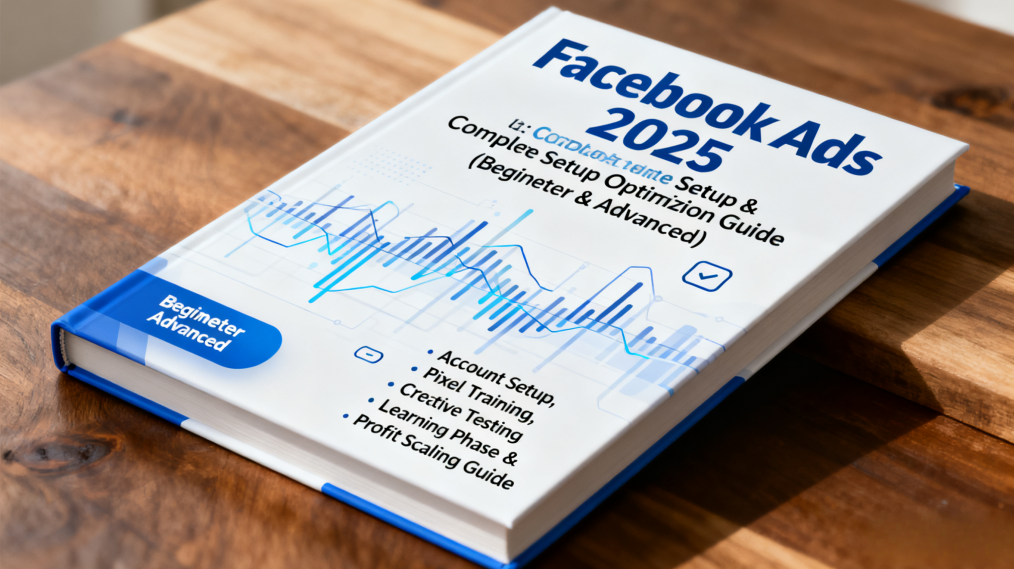
Make Creative Your Growth Engine
Formats that matter: Video, image, carousel, collection, DPA. In practice, 90%+ of spend gravitates to video + image.
Four quality signals
- Crystal-clear USP in seconds
- Educate + entertain to earn watch time and clicks
- Real offers/urgency (limited-time, free shipping, bundles)
- Never blurry/gray/boring
Repeatable angles
- UGC demo/unboxing: Open with pain-point or objection, then show the fix
- Customer/influencer photos mixed with brand visuals for A/Bs
- Objection-first hooks: Mine competitor reviews for top objections; address them in the first 5–15s of your script
Research “evergreen” patterns in your niche with the Meta Ad Library, then localize structure and pacing—don’t copy assets.

Testing & Budgets: Find Winners Cheaply
- Day-1 budget: 10–30% of product price per day. If AOV is $100, start at $10–$30/day.
- Decision rule: Let each creative spend ≥2× AOV before judging. If no sales or ROAS is clearly off-target → kill it.
- Cadence: Add 2–3 new creatives weekly. For the same product, rotate audience lenses (e.g., “gift for boyfriend” vs “for grandma”) to reduce cannibalization.
- Scaling: Once profitable, increase 10–30% every 2–3 days, while refreshing creatives to prevent fatigue.
Read the Numbers: Metrics That Matter
Suggested columns (customize in Ads Manager):
- Spend, Purchases, ROAS; Add-to-Cart & cost; Outbound Clicks/CTR/CPC; CPM; Reach/Impressions; Avg video watch time
- Custom: CVR = Purchases / Outbound Clicks; AOV = Revenue / Orders
Reference bands (tune to your margin model):
- CTR: 1–3% CVR: 2–5% Profitability depends on gross margin – fulfillment – fees.
- Learning phase: Avoid frequent edits. If you must change, duplicate and iterate.
Privacy shifts (e.g., Apple’s App Tracking Transparency) make signal quality vital. Clean tracking shortens learning and stabilizes scale.
Compliance & Pitfalls (Save Your Account)
- Operate from BM, complete legal entity info and business verification
- Enforce 2FA for everyone; keep a backup admin
- Warm new Pages (content + branding) before ads
- Keep claims PG and policy-safe
- Prefer credit cards; be cautious with third-party wallets

Win More with MasLogin
Scaling profitably is often blocked by messy pixels, unstable sessions, shared fingerprints/cookies, bad proxy swaps, unclear creative lineage, mixed team permissions, repeated learning-phase resets, and inconsistent analytics. MasLogin (anti-detect, fingerprint-isolated browser) helps you cut the noise and ship faster.
What you gain
- Faster test–learn–scale loop: Stable accounts + cleaner signals = shorter learning, more usable data per dollar.
- Lower ops time: RPA automations and isolated environments reduce relogs and human error—focus on creatives and offers.
- Better control: Split environments by market/audience/creative path for cleaner post-mortems and quicker decisions.
Quick start
1. Create isolated environments: sign in and click Create Profile; batch-create multiple environments and attach the Facebook accounts you’ll use.
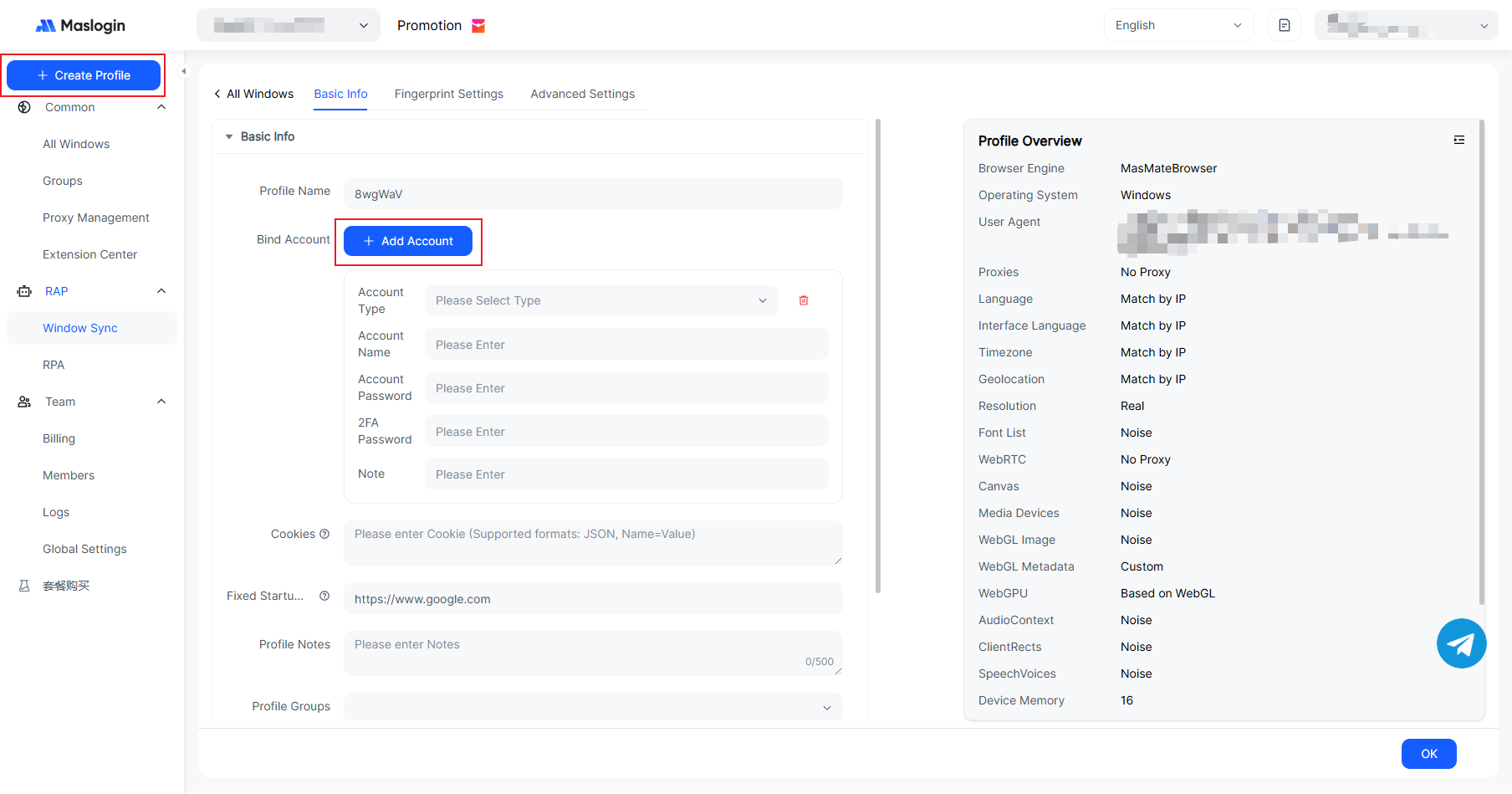
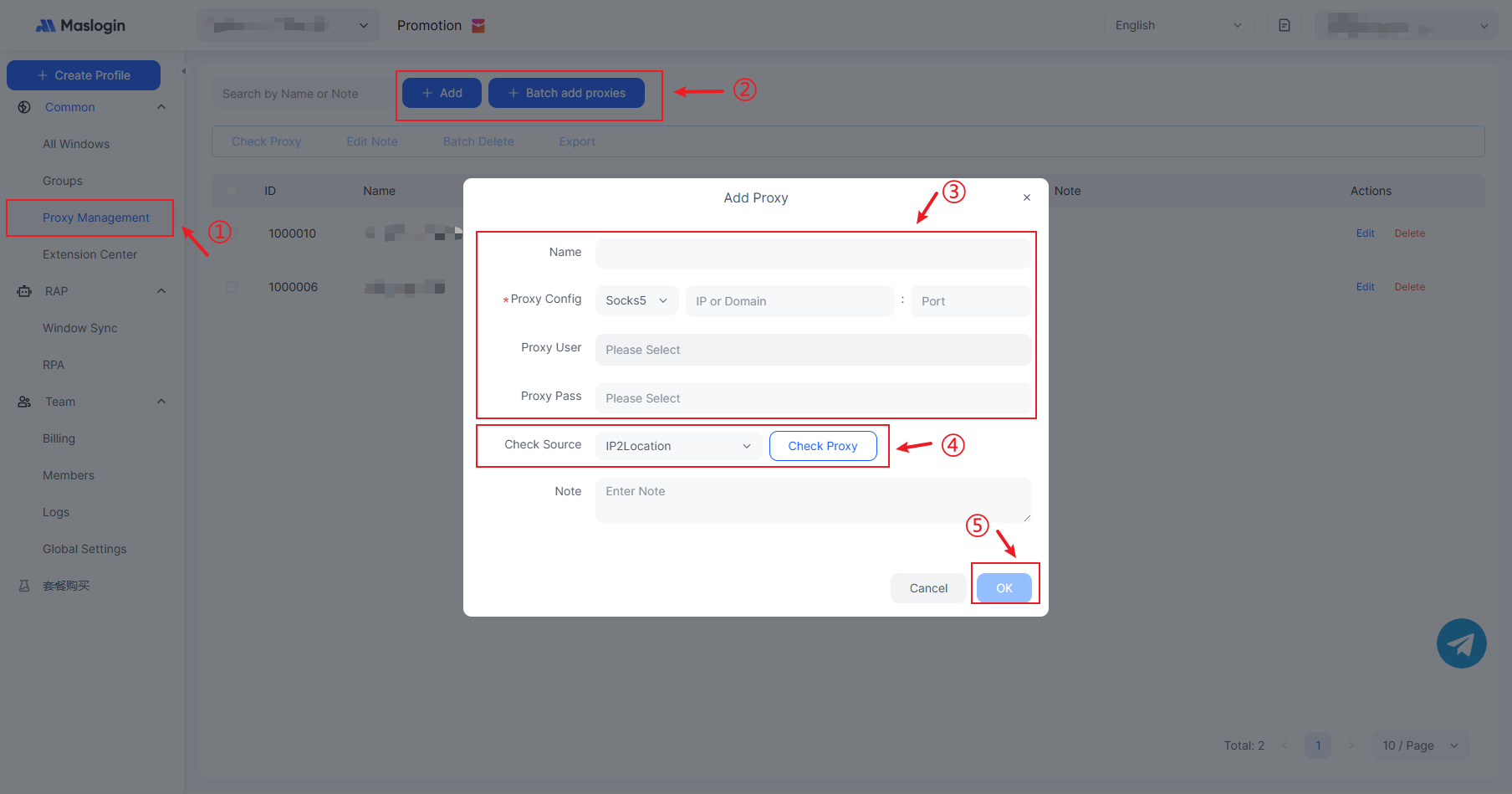
2. Map proxies per profile: in Proxy Management, assign a unique proxy to each profile so signals stay independent.
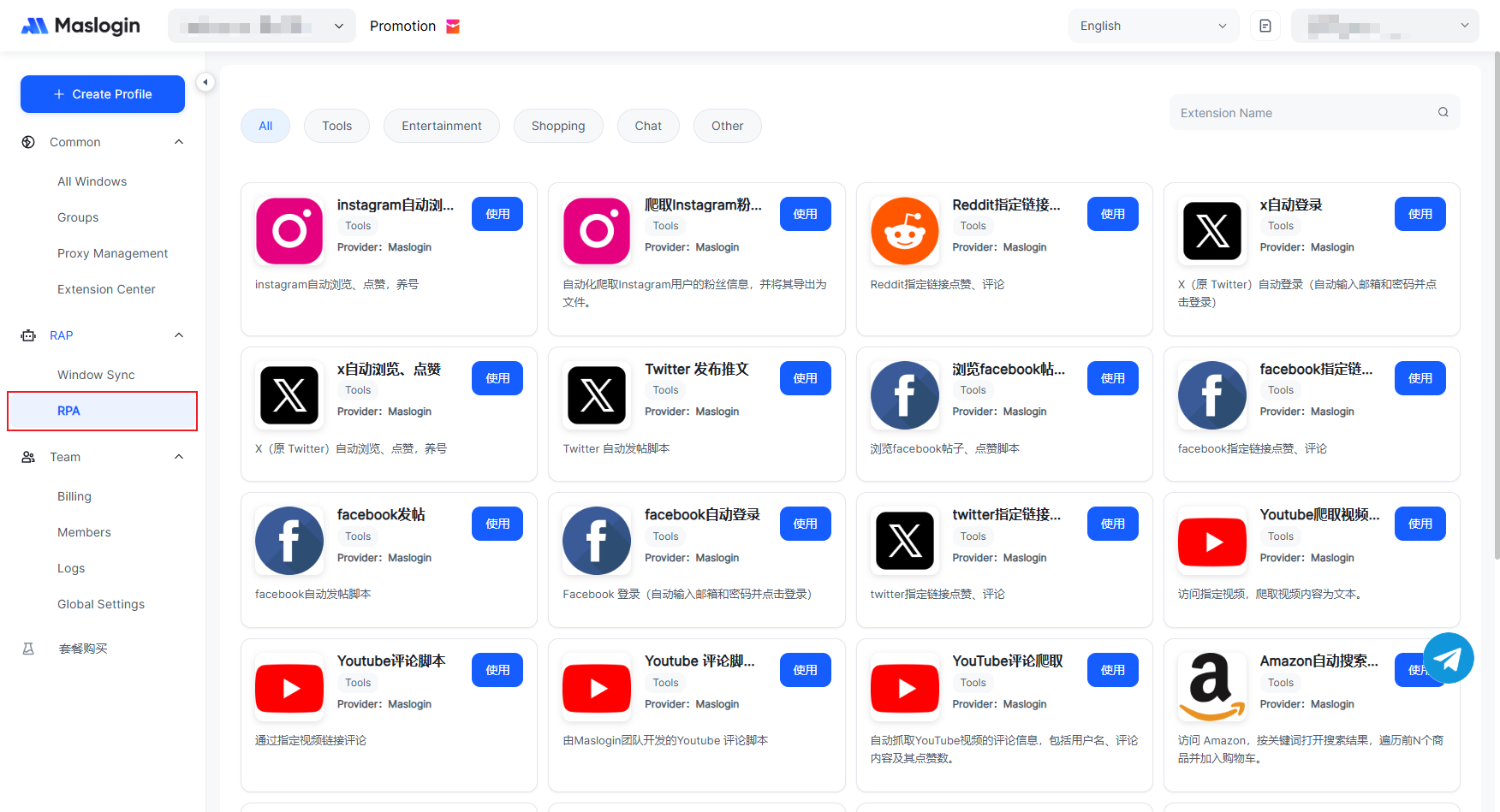
3. Automate with RPA: under Automation → RPA, run common ops (logins, URL checks, asset uploads) across accounts.
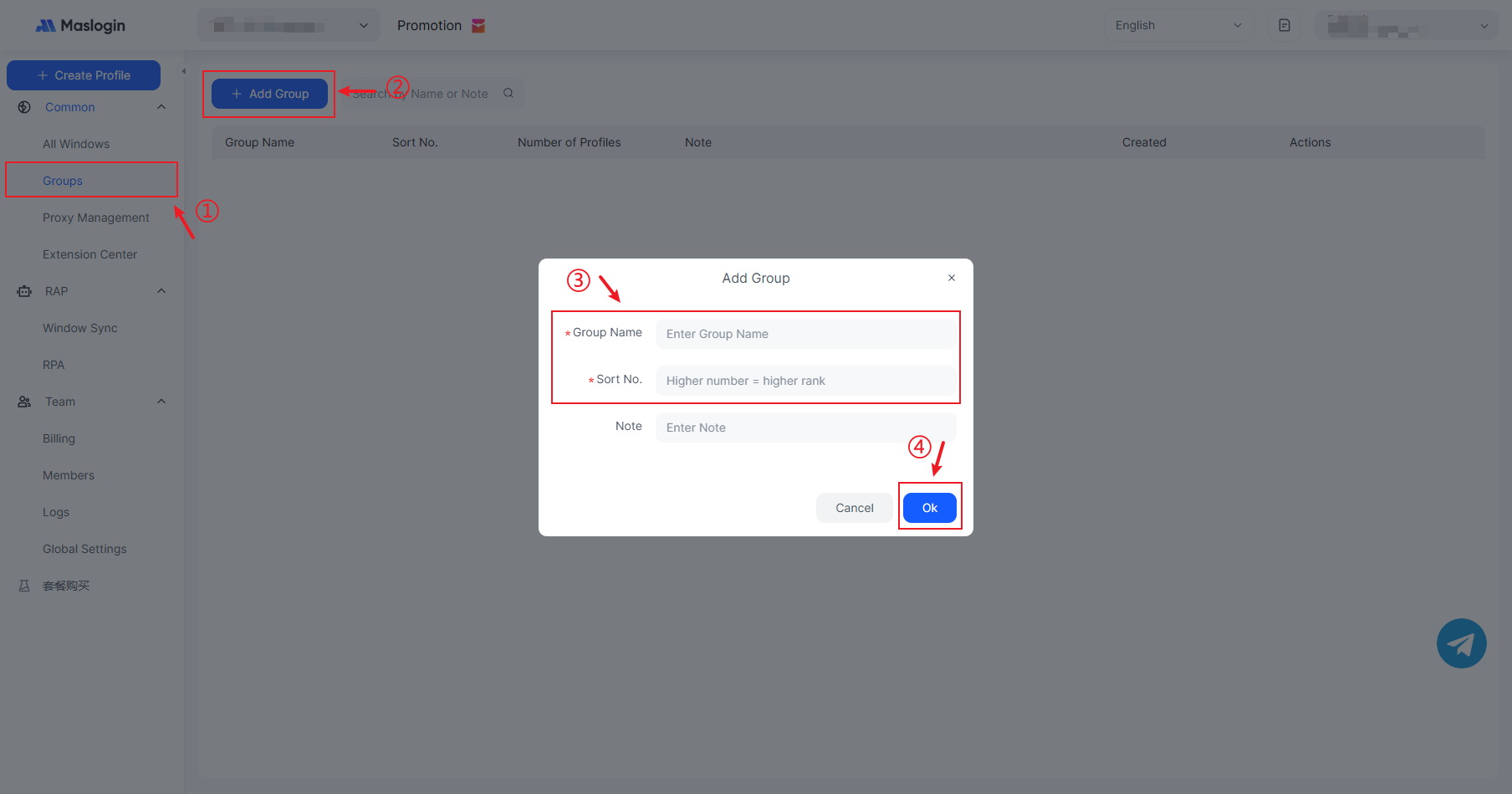
4. Groups: Use Groups to organize environments by brand/region.
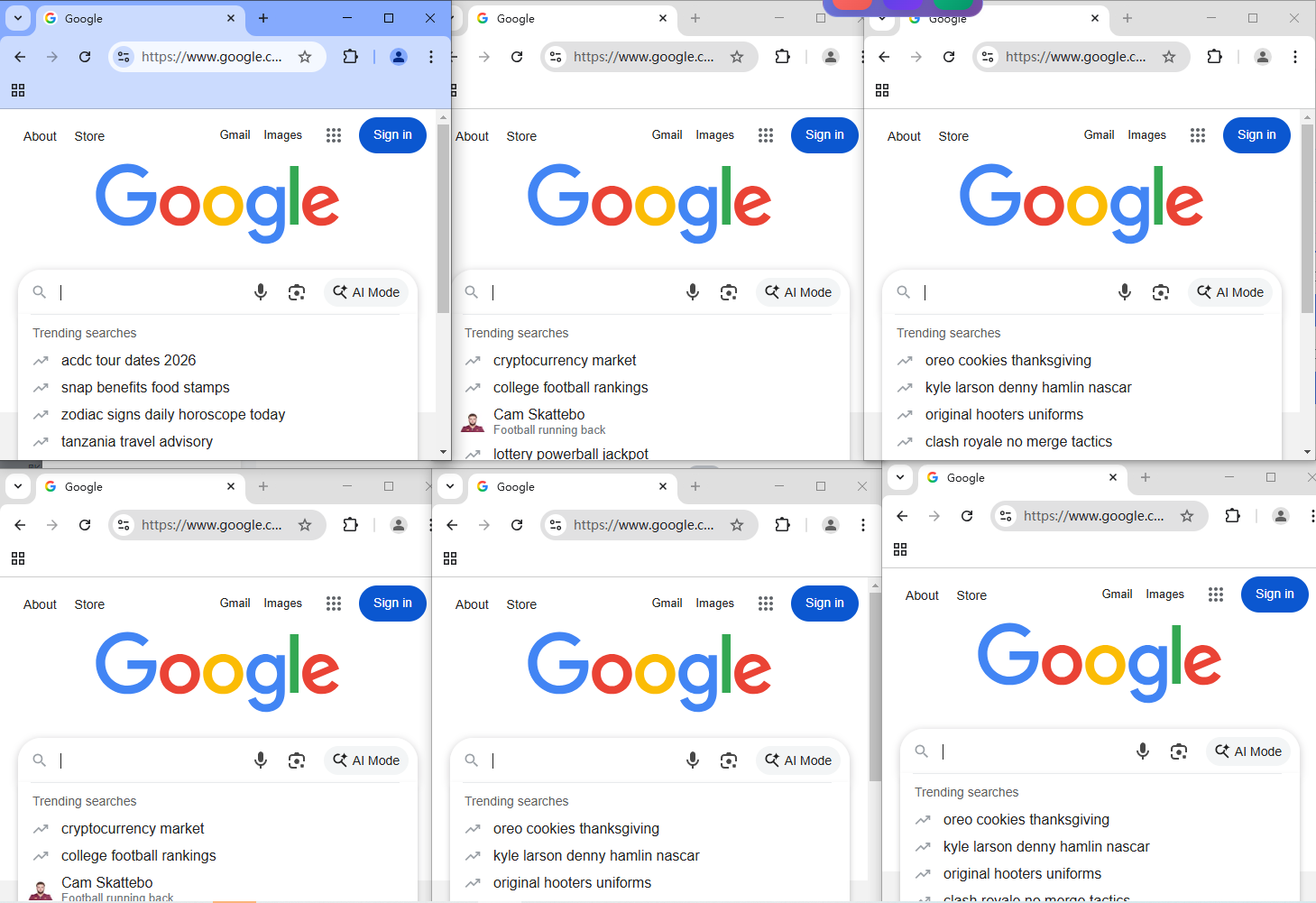
5. Sync: turn on Windows Sync, pick a Main Window, and operate several accounts safely in parallel.
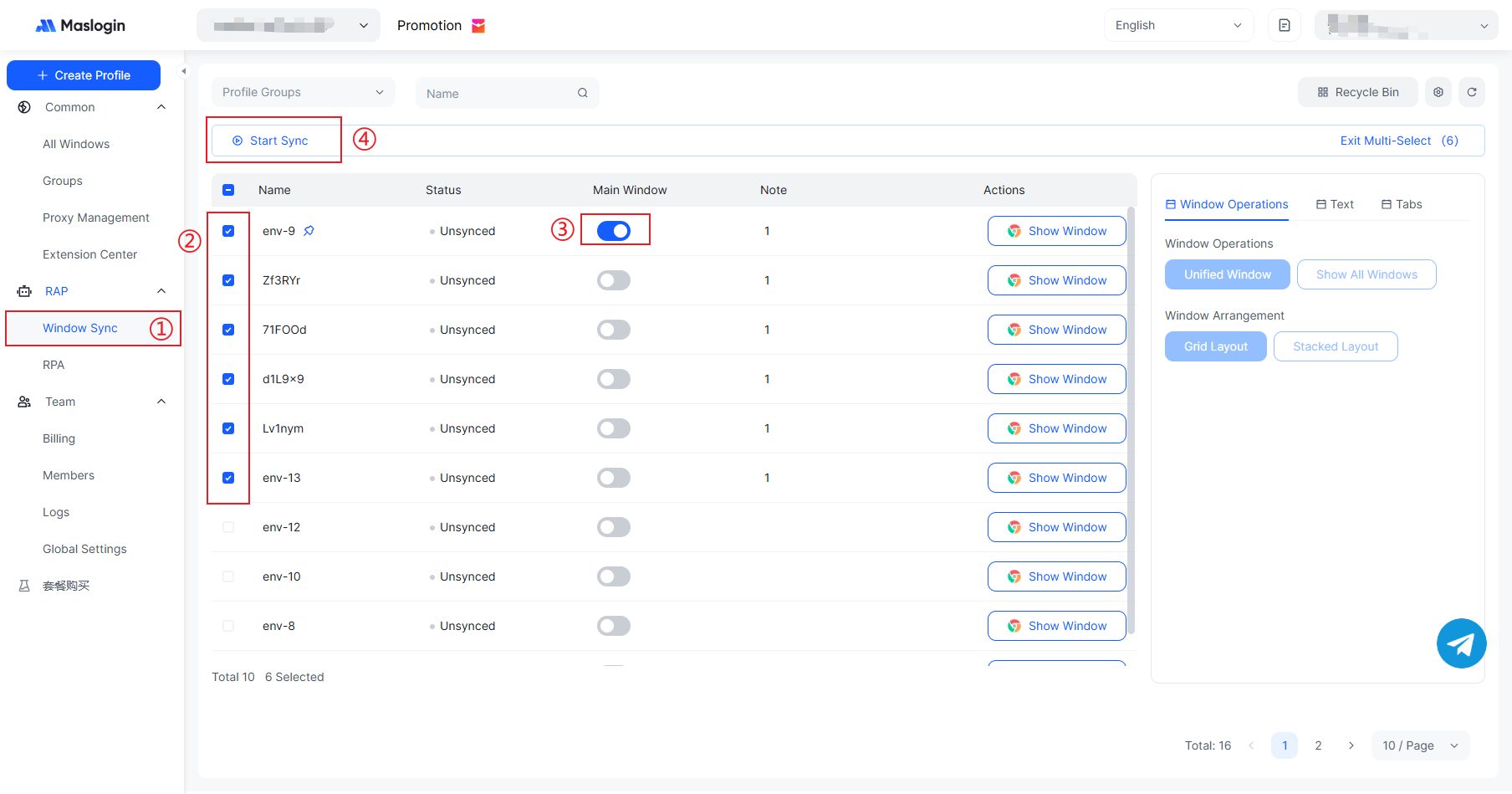
Control multiple sessions in parallel from the master window.
FAQ
Q1. How much to spend on day one?
Start at 10–30% of product price/day. Prepare 3–5 creatives (≥2 videos) so the system can truly learn.
Q2. Advantage+ or manual?
New advertisers should enable Advantage Campaign Budget and keep broad targeting at the ad-set level. The levers that matter are creative quality and a well-defined purchase event.
Q3. When is a creative “failed”?
If it spends ≥2× AOV without a sale—or ROAS clearly misses your target—turn it off and ship a new variant.
Q4. Can I edit during learning?
Avoid frequent edits. If you must test, duplicate the object and iterate on the copy.
Q5. Rejections/disabled accounts?
Audit creatives/copy for policy violations (exaggerated claims, sensitive attributes). Keep tone PG, appeal from BM, and ensure business info + 2FA are complete.
Q6. How do I scale sustainably?
If margins and ROAS hold, raise budgets 10–30% every 2–3 days and add fresh creatives every two weeks to maintain “account freshness.”