In today’s hyperconnected world, your browser may be silently revealing far more about you than you think.
Even if you clear cookies, use incognito mode, or block ads, browser fingerprinting can still identify and track you across the internet — invisibly.
This in-depth guide explains what fingerprinting is, how it works, and the most effective strategies to block it. We’ll also compare major privacy browsers like Tor, Mullvad, Brave, and Chrome, helping you choose the right tools to protect your digital identity.
Browser fingerprinting is a tracking technique that creates a unique digital ID based on your device’s hardware and software attributes.
Unlike cookies — which can be deleted — fingerprints persist. Websites can use them to recognize your browser every time you go online, even if you change accounts or use incognito mode.
Each fingerprint combines hundreds of data points such as:
Together, these details create a unique signature, similar to a real fingerprint — making you identifiable across different sites and sessions.
Key Insight:
Research using FPTracer (2024) found fingerprinting activity in nearly 8% of top domains, with some showing 75% moderate tracking activity — and most users never notice it happening.
That’s why fingerprinting is considered more invasive and harder to avoid than traditional cookies.
Fingerprinting can occur in two main ways:
A single site can combine these attributes to create your unique profile.
When third-party scripts (like ad networks or analytics trackers) share this data across sites, your activity can be tied together — even without cookies.
👉 Try it yourself at AmIUnique.org or EFF’s Cover Your Tracks to see what your fingerprint looks like.
Each technique adds another piece to the digital puzzle that defines you.
Different browsers combat fingerprinting in unique ways:
1.Tor Browser – Uses standardization: every user looks identical, hiding unique traits. Most effective for anonymity but slower and often breaks websites.
2.Mullvad Browser – Developed with the Tor Project; balances privacy and usability. Offers letterboxing, timezone masking, and API restrictions for medium–high protection.
3.Brave Browser – Uses randomization: changes your fingerprint dynamically across sessions. Provides strong protection while maintaining speed and compatibility.
4.Google Chrome – Offers minimal resistance. By default, it exposes WebGL, Canvas, and device info, making it one of the most fingerprintable browsers.
Expert Tip: For maximum security, combine Tor or Mullvad for private browsing with Brave for daily use.
Install browsers like Tor, Mullvad, or Brave.
Each includes anti-fingerprinting technology by default — either through standardization or randomization.
In Firefox-based browsers, go to about:config → set privacy.resistFingerprinting to true.
This unifies your timezone, restricts APIs, and limits tracking data.
Use uBlock Origin and NoScript to block tracking scripts and JavaScript probes.
VPNs hide your IP but don’t prevent fingerprinting entirely. Combine VPN use with fingerprint-resistant browsers for best results.
Use different browsers for different activities (e.g., Brave for social media, Tor for research).
This compartmentalization minimizes cross-site identity linking.
For professional users managing multiple accounts, use anti-detect browsers like MasLogin.
They create isolated browser environments with unique fingerprints, IPs, and cookies — preventing cross-account bans or data leakage.
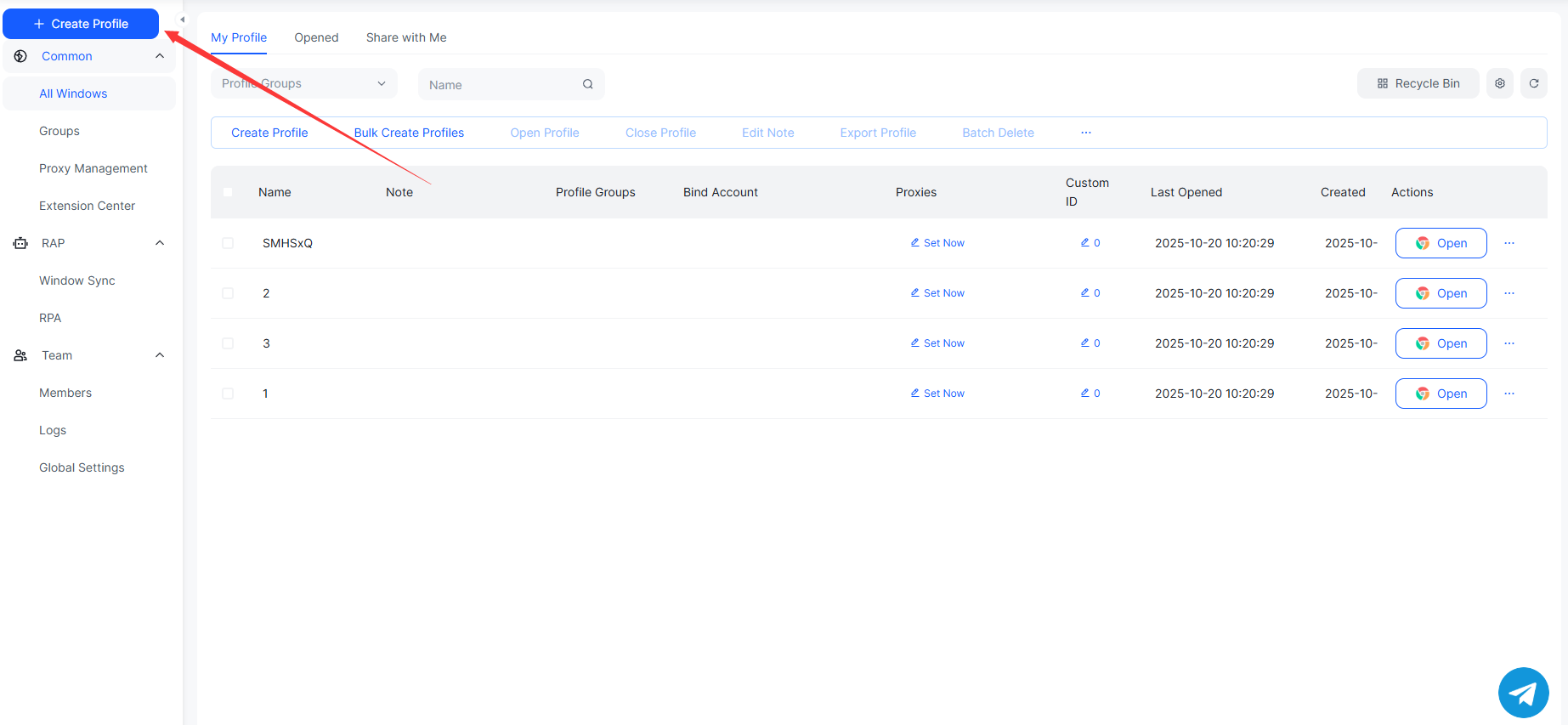
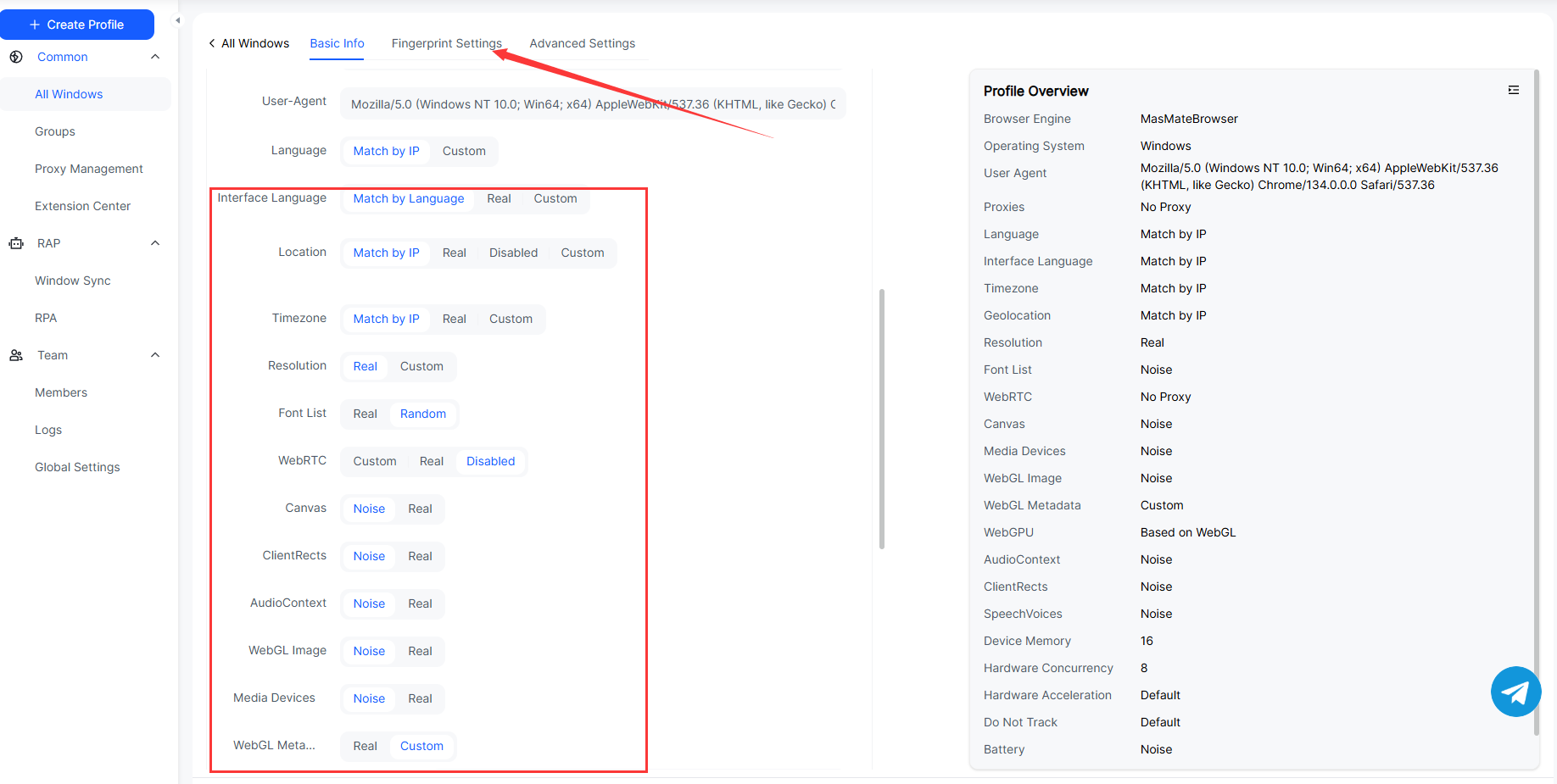
MasLogin offers two modes:
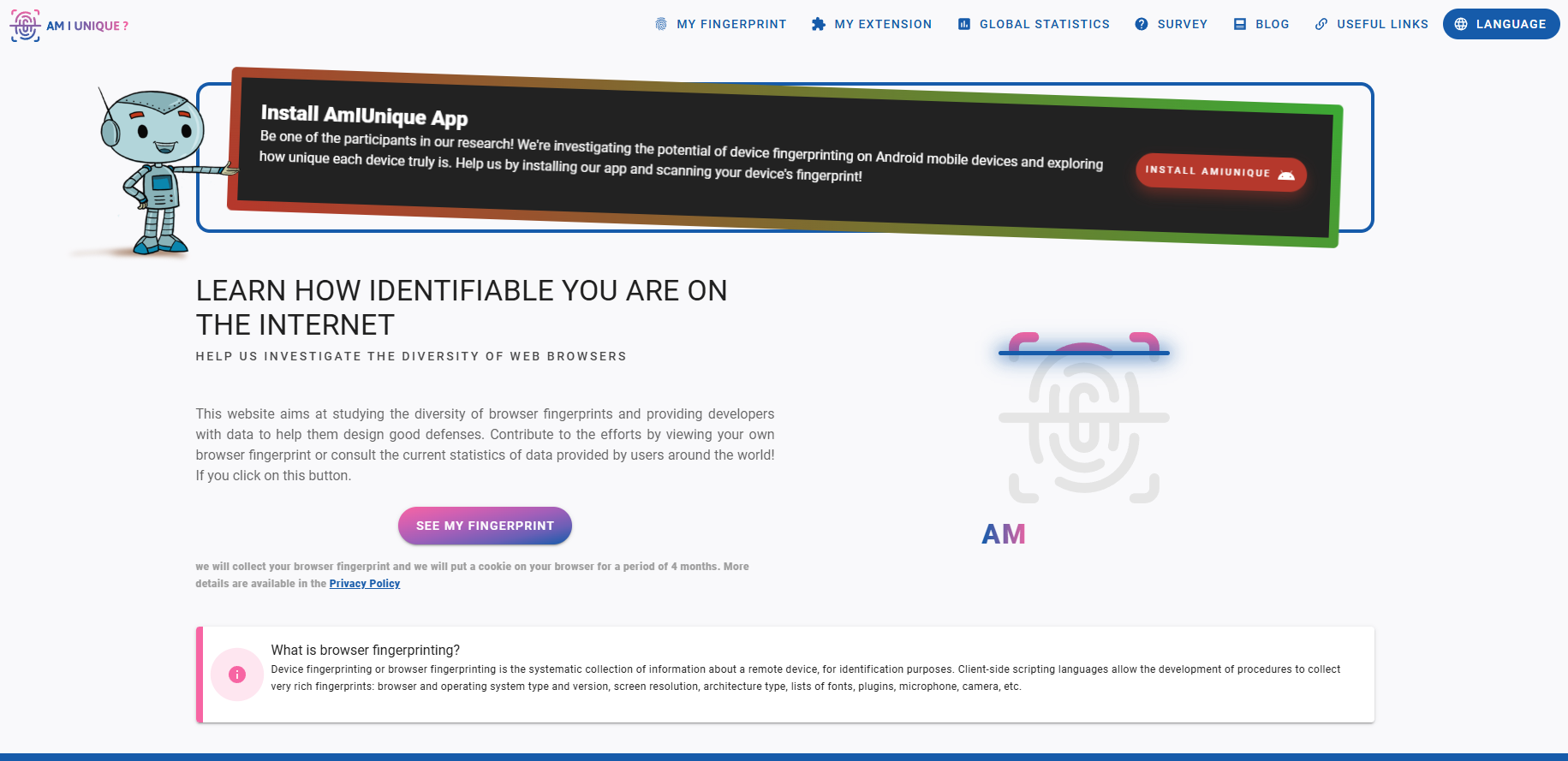
Visit the following websites to verify fingerprint isolation:
You’ll find that each MasLogin environment generates a completely unique fingerprint, with detection results showing “non-unique” or “randomized fingerprint.”
Beginner:
Intermediate:
Advanced:
Q1: Can incognito mode stop fingerprinting?
No. Incognito mode only clears cookies; your fingerprint remains the same.
Q2: Does a VPN hide my fingerprint?
Partially. It masks your IP but not your browser or system attributes.
Q3: What’s the safest browser for 2025?
Tor offers the best anonymity, while Brave provides the best balance of privacy and usability.
Q4: Can websites track me even without cookies?
Yes. Fingerprinting allows tracking without storing anything on your device.
Q5: How can I check my fingerprint?
Visit https://amiunique.org or https://coveryourtracks.eff.org to see what websites know about you.
Outline