Managing multiple Discord accounts has become essential for power users, community managers, and developers. Whether you want to separate your personal and work accounts, monitor multiple servers, or test plugins and themes, running multiple accounts simultaneously can boost efficiency. In this guide, we’ll explore proven methods to safely and efficiently run multiple Discord accounts in 2025.
Why You Need Multiple Discord Accounts
Discord multi-account management offers several advantages:
- Separate Personal and Work Accounts: Avoid confusion between private and professional communications.
- Monitor Multiple Channels: Keep track of announcements, NFT communities, gaming servers, or e-commerce updates in real-time.
- Test Plugins and Themes: Developers and mod users can safely test features without affecting their main account.
- Automate Tasks: Using anti-detect browsers like MasLogin, you can isolate environments and prevent account bans while running multiple accounts.
Method 1: Use Discord’s Multiple Client Versions
Discord officially provides three client branches:
- Stable Release: The most commonly used version for everyday Discord activity.
- PTB (Public Test Beta): A testing version that can run alongside Stable.
- Canary (Alpha Build): Experimental version for early features; slightly unstable but functional.
Steps to run multiple Discord clients:
- Go to the Discord download page.
- Download Stable, PTB, and Canary versions.
- Log in with different accounts on each client.
- Enjoy up to three accounts running simultaneously.
⚠️ Tip: Rename shortcuts to differentiate between Stable, PTB, and Canary to avoid confusion.
Method 2: Create Multiple Browser-Based Discord Instances
If installing multiple clients is inconvenient, browser instances provide a lightweight alternative:
- Open Discord Web in Chrome, Edge, or Firefox.
- Log in to your first account.
- Click More Tools → Create Shortcut in your browser menu.
- Enable “Open as Window” and name it (e.g., “Discord-Account2”).
- Repeat to create additional accounts.
This approach works for Slack, Telegram Web, and Messenger, allowing multiple accounts on a single device with minimal resource usage.
Limitations of Traditional Multi-Account Methods
- Device fingerprints are easily correlated.
- Multi-client setups require extra installations.
- Number of accounts is limited.
- High risk of triggering Discord’s anti-spam and anti-bot detection.
For secure and scalable multi-account management, MasLogin Anti-Detect Browser provides a superior solution, offering isolated browser environments, independent IPs, and automation.
How to Use MasLogin for Discord Multi-Account Management
Step 1: Create Independent Environments
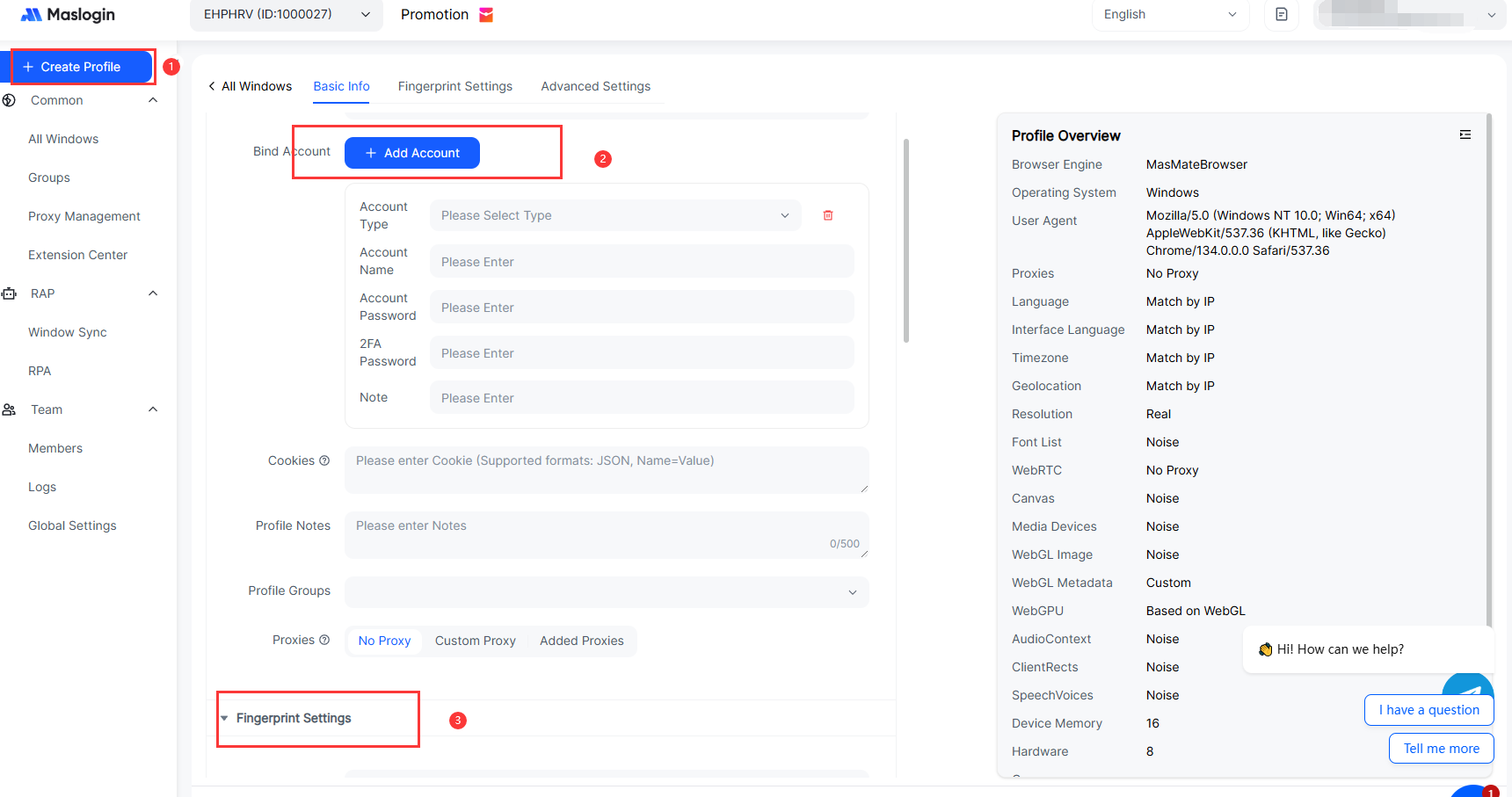
- Open MasLogin client and click “Create New Environment”.
- Assign a name (e.g., Discord-Account1).
- Configure unique fingerprint and proxy IP (built-in or custom).
Step 2: Log in to Discord
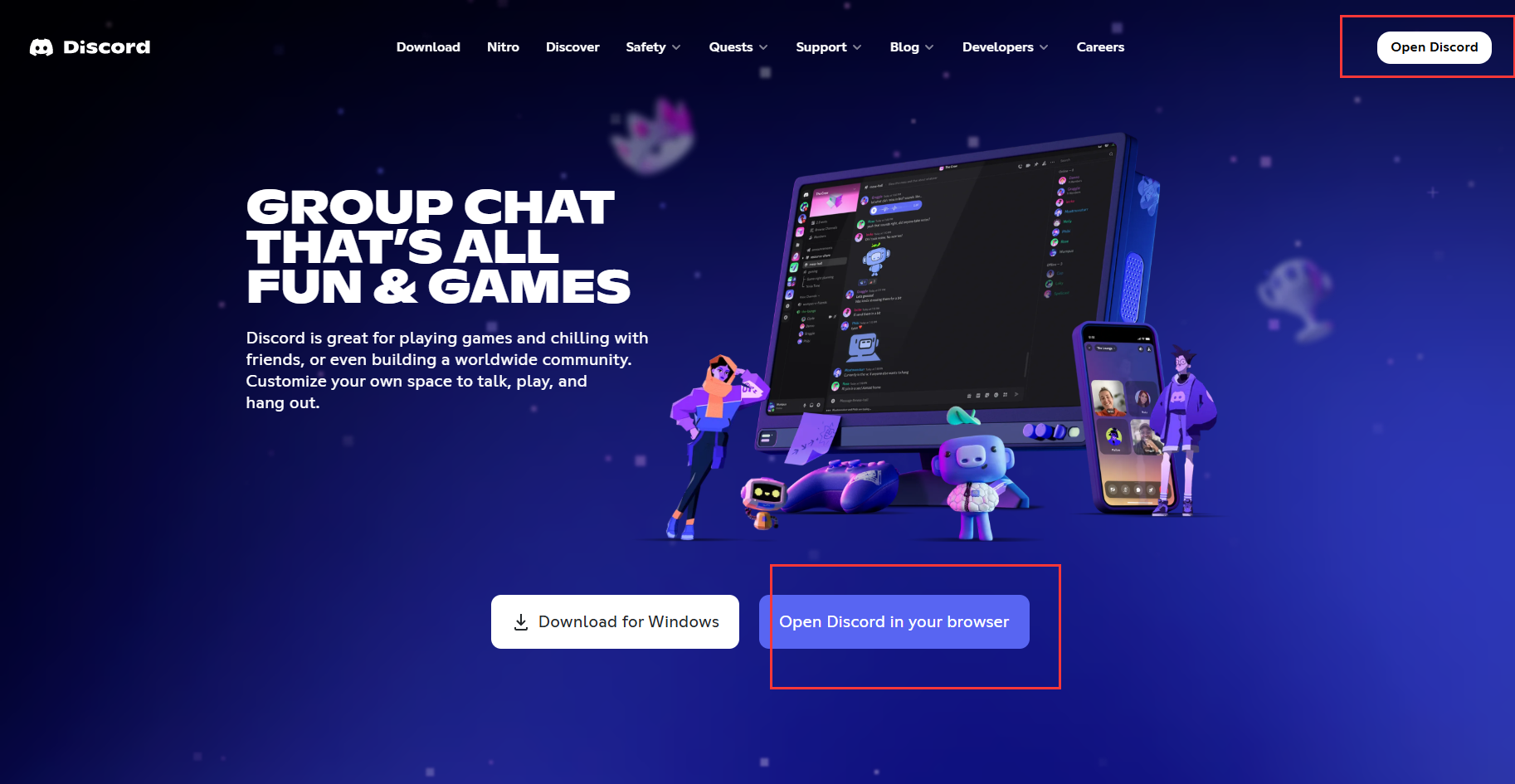
- Open Discord Web in your environment.
- Log in and save cookies for one-click login later.
Step 3: Batch Setup and Synchronization
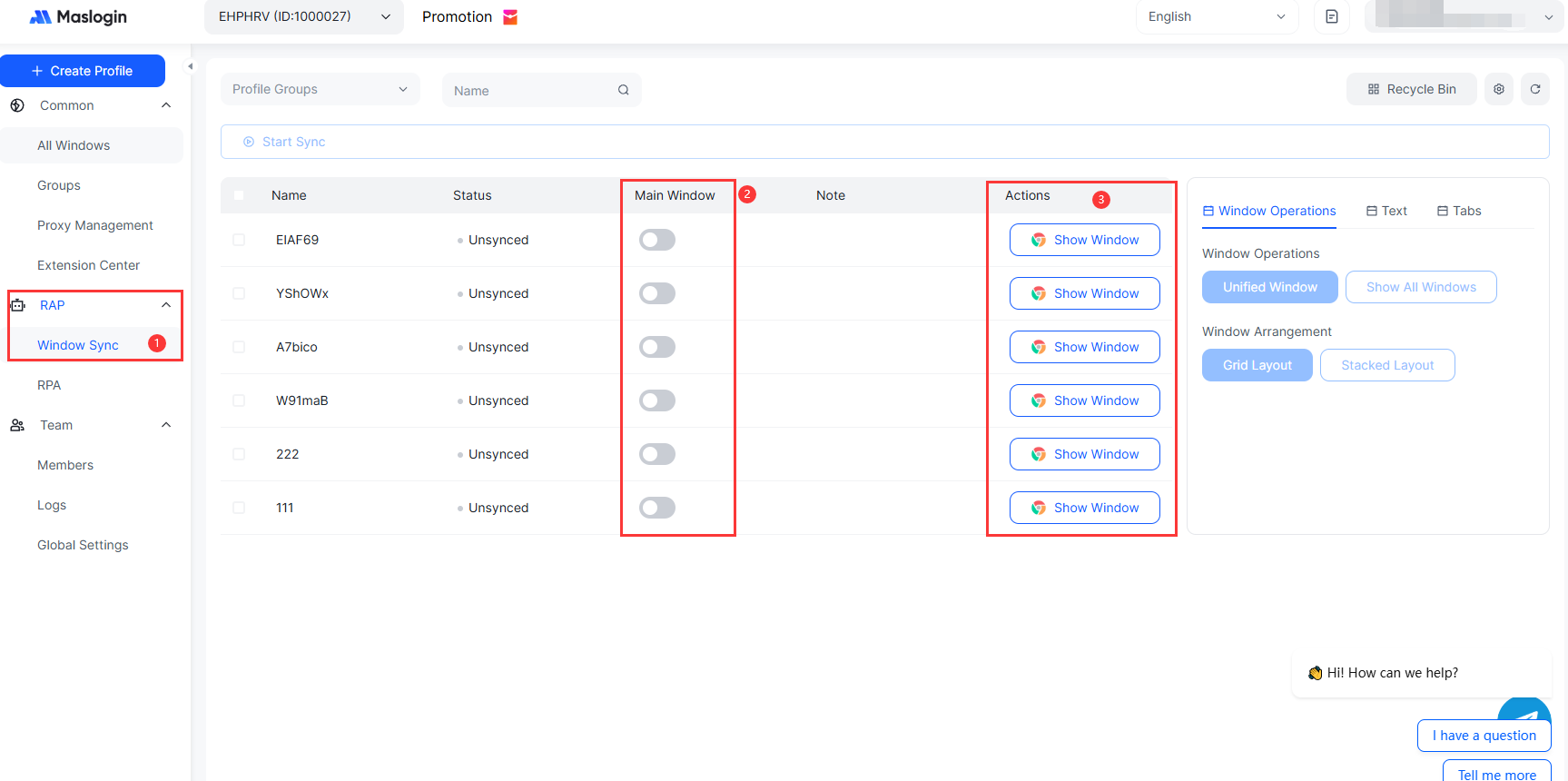
- Create additional environments for Account2, Account3, etc.
- Use MasLogin’s synchronization feature to manage multiple accounts simultaneously (message sending, server management).
Step 4: Ensure Security and Stability
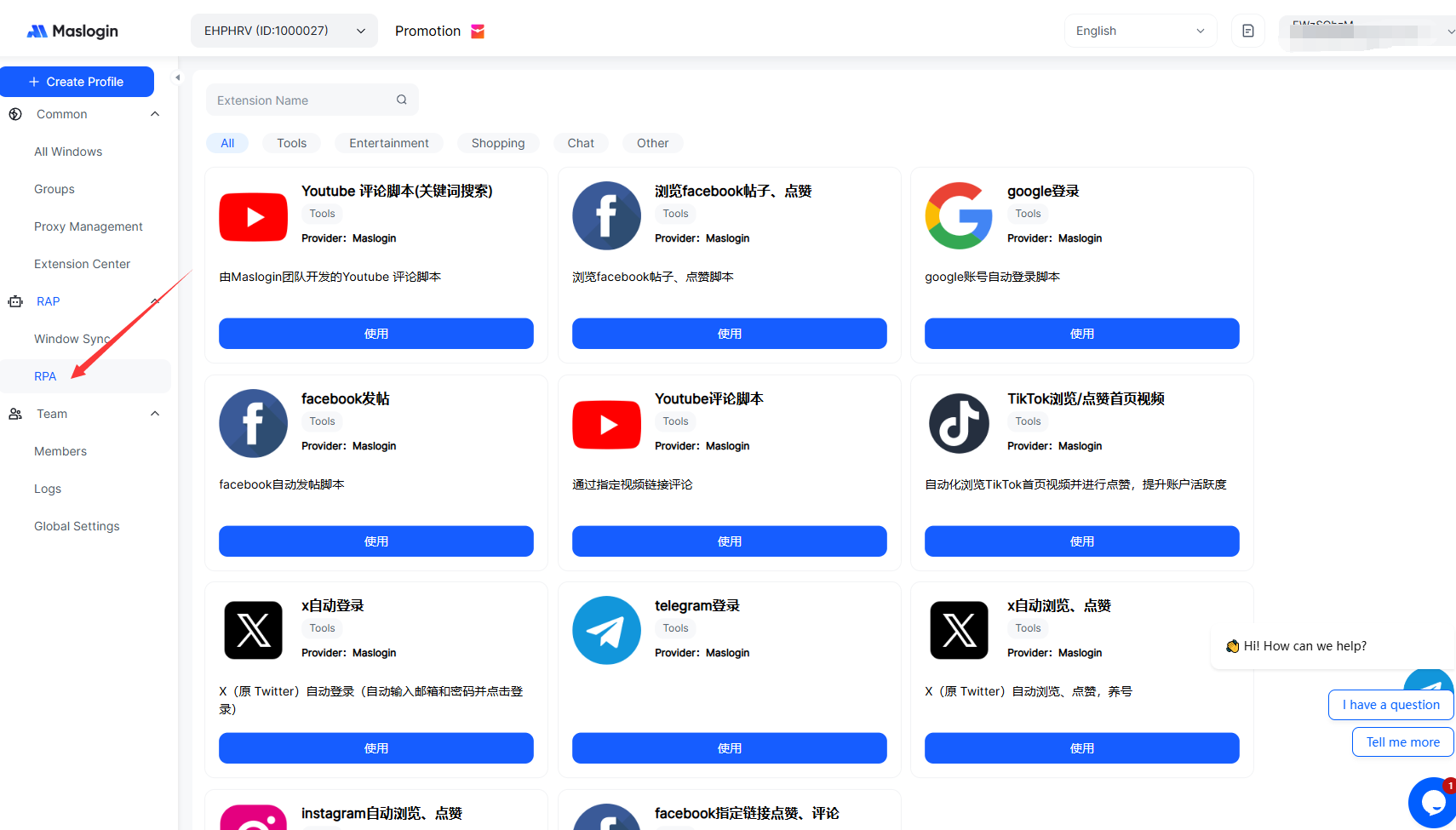
- Each account has a unique fingerprint and IP.
- Avoid frequent account switching within one environment.
- Use MasLogin scripts for automated login and batch management.
FAQ – Most Asked Questions
Q1: Will Discord ban accounts for running multiple instances?
A: No, as long as each account runs in an isolated environment, such as through MasLogin, Discord’s detection system won’t flag them.
Q2: Does multi-account usage impact system performance?
A: Multi-client setups may slightly increase memory usage; browser-based or MasLogin setups have minimal impact.
Q3: Is Discord Canary safe to use?
A: Canary is safe but may be unstable; it’s best for testing features, not daily main use.
Q4: Can MasLogin manage accounts on other platforms?
A: Yes, MasLogin supports Telegram, Instagram, Twitter, Facebook, and other social platforms.
Q5: How secure is using MasLogin for Discord multi-accounts?
A: Extremely secure. MasLogin creates unique browser fingerprints and independent IPs for each account, preventing detection by Discord’s anti-bot system.
Links:





 (1) (1).png)