Looking for a clear, practical answer to RDP vs anti-detect browsers for multi-account operations? This guide explains how Remote Desktop Protocol (RDP) works, the security risks teams commonly face, and where it still makes sense. You’ll also learn what an anti-detect browser is, how browser fingerprinting impacts account trust, and why profile isolation with per-proxy routing often beats remote desktops for web-only workflows. We wrap with a hands-on decision framework—when to choose each approach, how they can work together, and how MasLogin adds RPA, role permissions, and realistic fingerprints to scale safely. If you manage ads, e-commerce, affiliate, or social accounts across regions, this is your roadmap to safer, faster, and more reliable multi-account execution.
What is RDP?
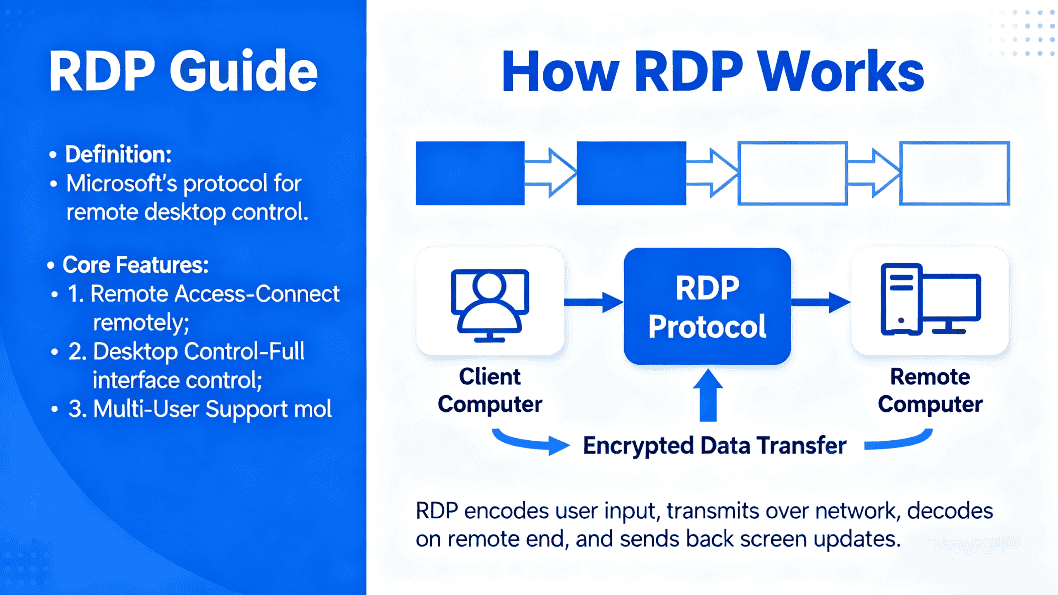
Remote Desktop Protocol (RDP) is a Microsoft protocol that lets you remotely access and control another computer/server over a network. It’s widely used for remote tech support, telecommuting, and server/network administration, and it also supports multi-user sessions for collaboration.
How RDP Works
RDP uses a client–server model:
- The client sends a connection request with username/password and the server’s IP/hostname.
- The server authenticates and establishes an encrypted session.
- Your keyboard/mouse input is executed on the remote machine; the updated screen is streamed back.
- This enables centralized management, remote work from anywhere with internet, and live collaboration.
RDP vs Anti-Detect Browser: The Big Differences
- Exposure surface: RDP exposes a whole OS to the network; an anti-detect browser limits exposure to the browser layer.
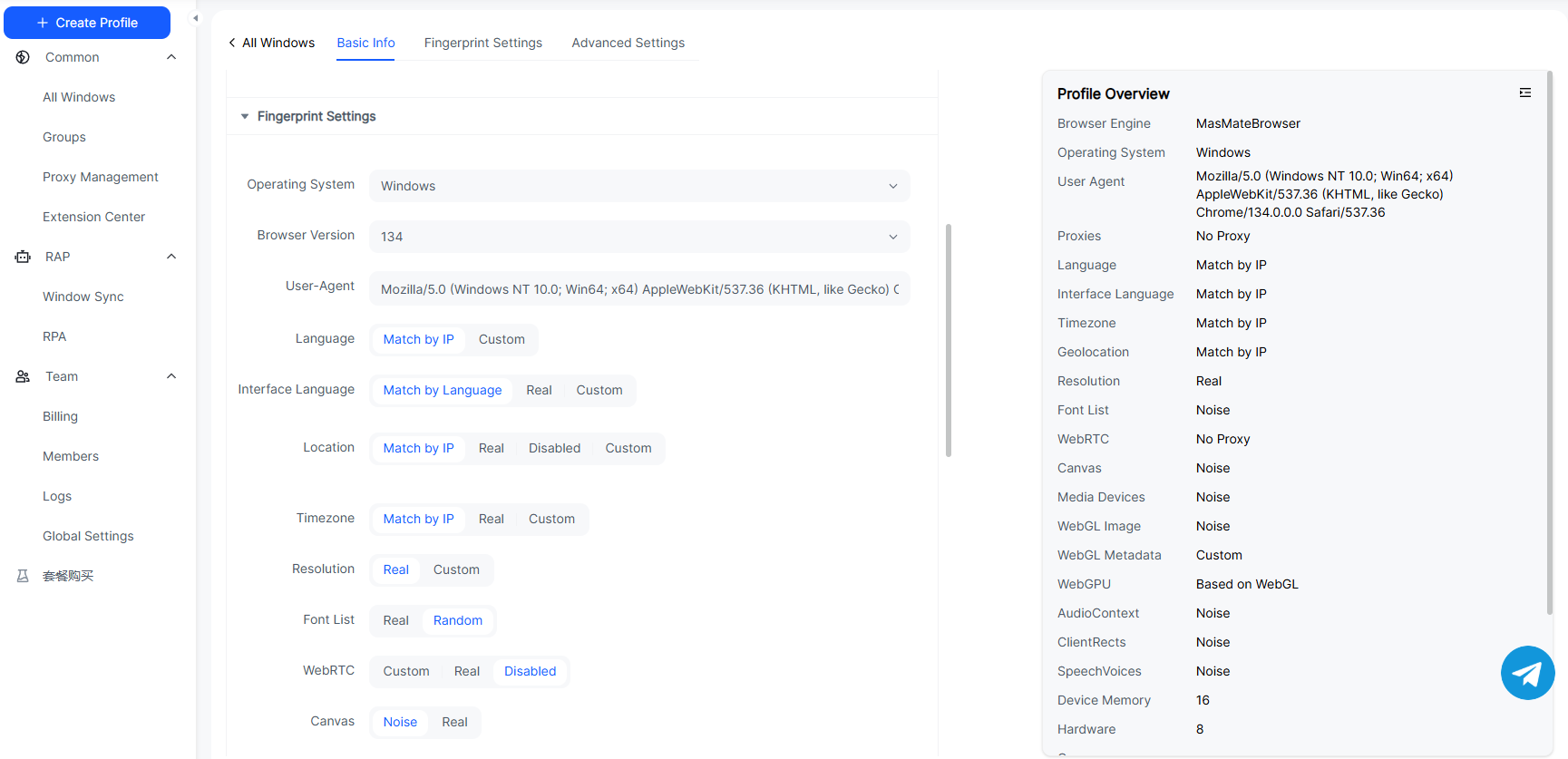
- Identity focus: RDP is about remote control. Anti-detect browsers focus on multi-account isolation and fingerprint diversity (UA, Canvas/WebGL/WebGPU, fonts, time zone, hardware traits).
- Primary job: OS-level operations → choose RDP. Multi-account web ops (ads, e-com, social) → choose anti-detect.
- Teamwork: RDP offers multi-session desktops. Anti-detect browsers offer independent profiles, permissions, audit logs—closer to cross-functional marketing ops.
- Operational cost: RDP needs network hardening, patching, 2FA/VPN, firewalling. Anti-detect tooling is closer to day-to-day web workflows.
What’s Safer Than Raw RDP?
For web-only tasks, minimize exposure. Running only a browser-layer environment (with per-account isolation and controlled networking) is typically safer than exposing a full desktop to the internet.
Why RDP Security Raises Concerns
From the transcript’s best practices:
- Brute-force/weak passwords, credential leaks
- Unpatched services, lateral movement risks
- Publicly exposed 3389 without source restrictions
- Ransomware/malware and business disruption
- Data protection & compliance risks
- Mitigations: strong & rotated passwords, 2FA, timely patching, authorized users only, VPN for transport, firewall rules, monitoring/IDS, and disable RDP where not needed.
How Anti-Detect Browsers Improve Security
Based on the video concepts:
- One account = one isolated profile with realistic, diverse fingerprints and persistent storage.
- Reduced cross-linking risk for multiple accounts on the same site.
- Cookie warming and natural-looking behavior to extend account lifetime.
- RPA/scripts and team features to standardize and scale workflows (with auditability).
Proxy + Anti-Detect Browser vs RDP
- Identity–network decoupling: RDP often ties user=machine=egress IP. Anti-detect setups bind one proxy per profile, decoupling identity from network.
- Task alignment: Web multi-account ops need fingerprint diversity & behavior consistency, not a remote OS.
- Scale & cost: Anti-detect profiles are lighter to clone/operate; RDP capacity is bound to host specs and security overhead.
How They Work Together
- Keep RDP for OS tasks: server admin, internal desktop apps, demos, emergency fixes—over VPN/zero-trust, with 2FA and auditing.
- Use anti-detect browsers for day-to-day multi-account web operations with per-profile proxies and RPA.
- If you must host the browser in a remote workstation, treat RDP as a secured jump—but for most web ops, running the anti-detect browser locally is simpler.
Advantages vs RDP (for web multi-accounting)
- Smaller attack surface (browser-only)
- More realistic fingerprints & behavior, fewer false links
- Per-profile egress via dedicated proxies
- Team permissions + audit logs to match business roles
- Cookie warming + RPA improve efficiency and account longevity
When to Use RDP vs When to Use an Anti-Detect Browser
- Choose RDP for: OS administration, remote desktop support, on-prem apps, slide-sharing.
- Choose an anti-detect browser for: ad accounts, e-commerce listings, social matrices, affiliate operations—any web scenario needing isolation and anti-linking.
Why MasLogin Is a Better Fit
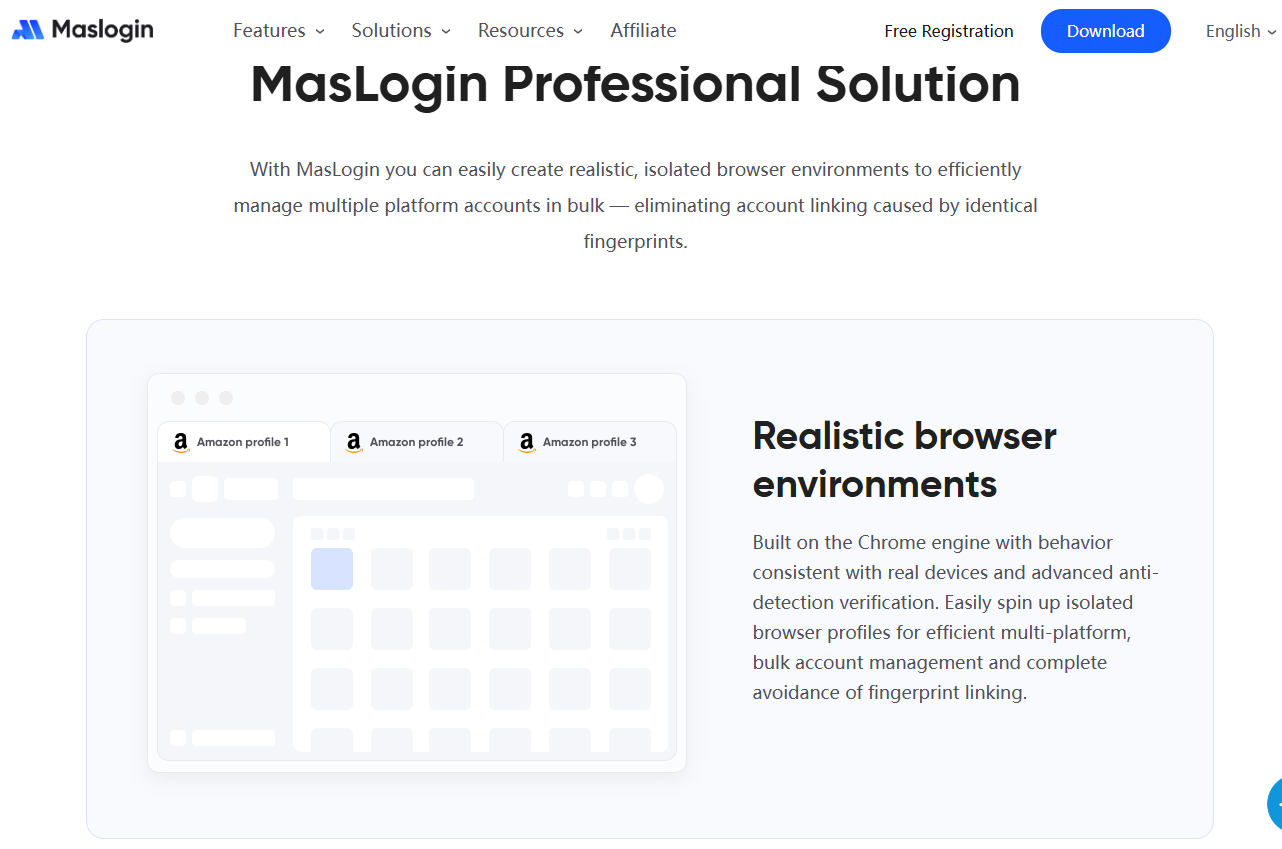
MasLogin is increasingly favored by industry professionals for its privacy protection features, and it has a higher ceiling, allowing for customized script functionality for some professionals. By the end of 2025, MasLogin anti-detection browser will have become an indispensable tool in the industry.
Top 10 Reasons to Choose MasLogin
- One account, one environment—deep isolation
- Mass profile creation and efficient cloning
- RPA/API to automate high-volume tasks
- Window sync and visual orchestration
- Role-based access + traceable audit logs
- Per-profile proxies (identity–network decoupling)
- Cookie warming & realistic cadence → longer account life
- Easy onboarding for non-engineers
- Cost-effective path from free to team scale
- Cross-vertical coverage: ads, e-com, social, affiliate
Compliance note: An anti-detect browser does not guarantee immunity. Always follow platform Terms and local laws. Success depends on content quality, behavior hygiene, and consistent ops.
FAQ — 10 Questions You Actually Ask
Is RDP always unsafe?
No—if you harden it properly (2FA, VPN, patching, firewall), it’s fine for OS tasks. But for web multi-accounting, it’s not the lowest-exposure approach.
Can an anti-detect browser 100% prevent bans?
No tool can. It reduces false links and supports safer ops. Policy compliance still matters.
Why cookie warming?
It accumulates a natural history, which helps trust and account longevity.
Can I run an anti-detect browser inside an RDP session?
You can, but prefer local or hardened workstations. If you must, restrict RDP to VPN/zero-trust and enforce 2FA.
How do teams avoid cross-linking?
Follow one user = one profile = one proxy, standardized SOPs, and enforce RBAC + audit logs.
Should I switch from Android emulators?
For web work, the browser route is cleaner. Only use mobile stacks if you truly need native sensors/push.
How do I measure account health?
Track login/flow success, verification rates, restriction flags, and business KPIs, then iterate fingerprints/behavior cadence.