by · MasLogin · November 24, 2025
In the MasLogin Billing Center, you can view your team’s current plan, plan expiration date, and feature usage statistics. You can also upgrade your plan, top up your wallet, and more.
View plan details
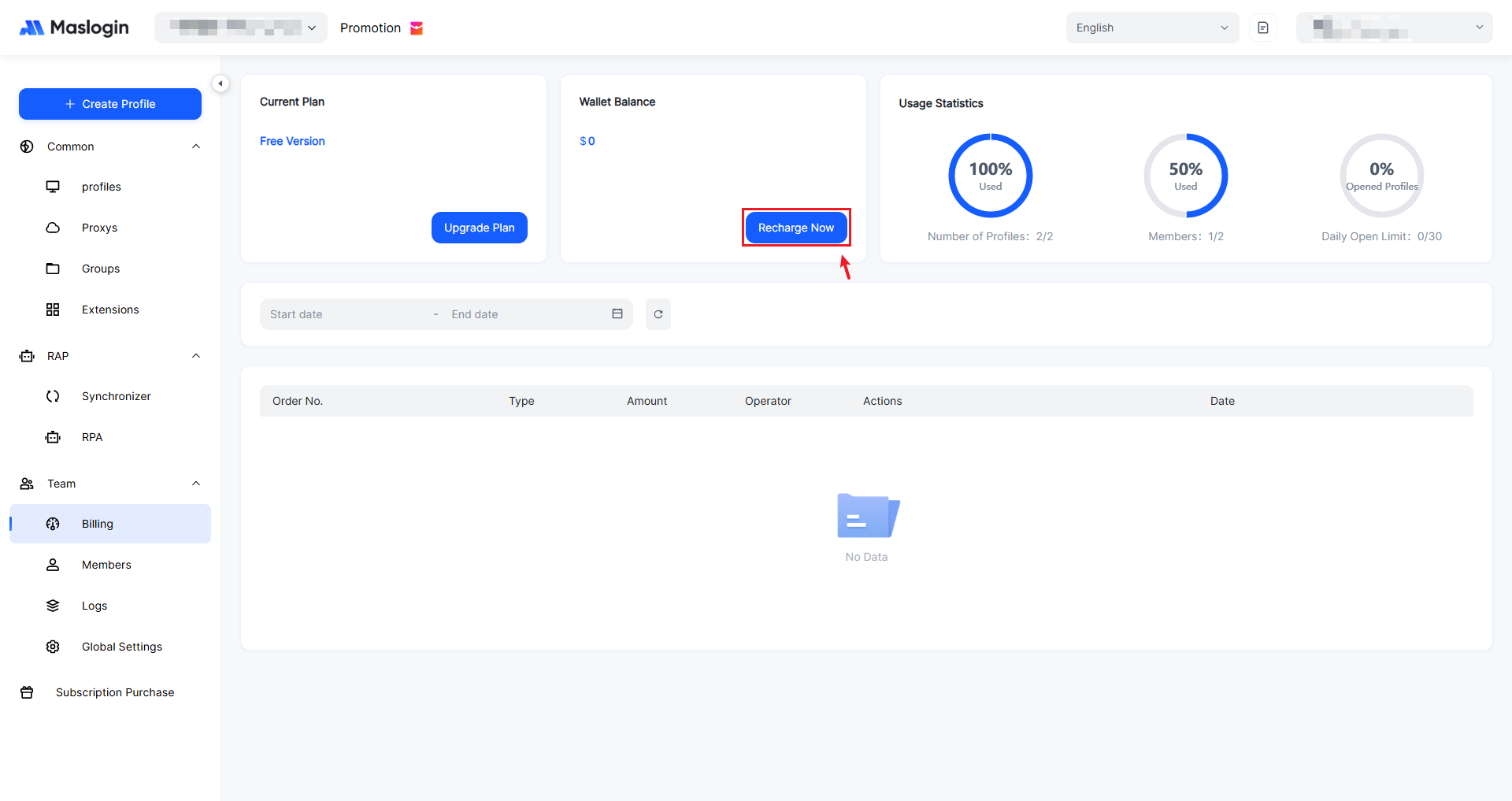
Click 【Billing】 in the left sidebar to enter the dashboard.
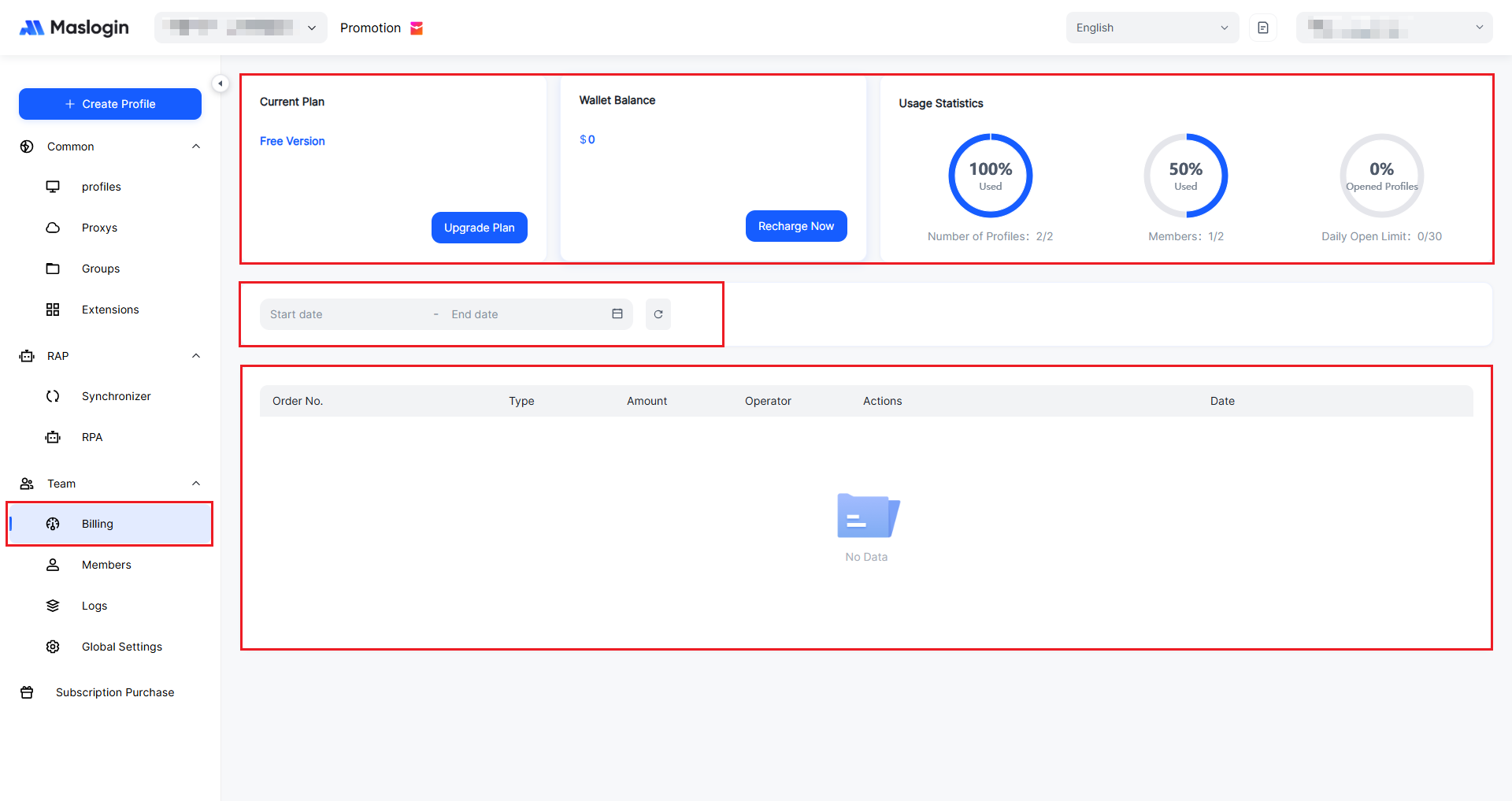
Current Plan: Shows the plan you are currently using and provides an entry to “Upgrade Plan”.
Wallet Balance: Shows the current account balance. Click “Top Up Now” to recharge.
Usage Statistics: Displays quota usage with three rings, including used/total quotas for number of environments, number of team members, today’s open limit, and more (updated daily at 00:00).
Date Filter: “Start Date – End Date” is used to filter orders or spending records within a specific time range. The icon on the right can reset/refresh the order list.
Order List: Shows details such as order number, type, amount, operator, action, and date.
Upgrade your plan
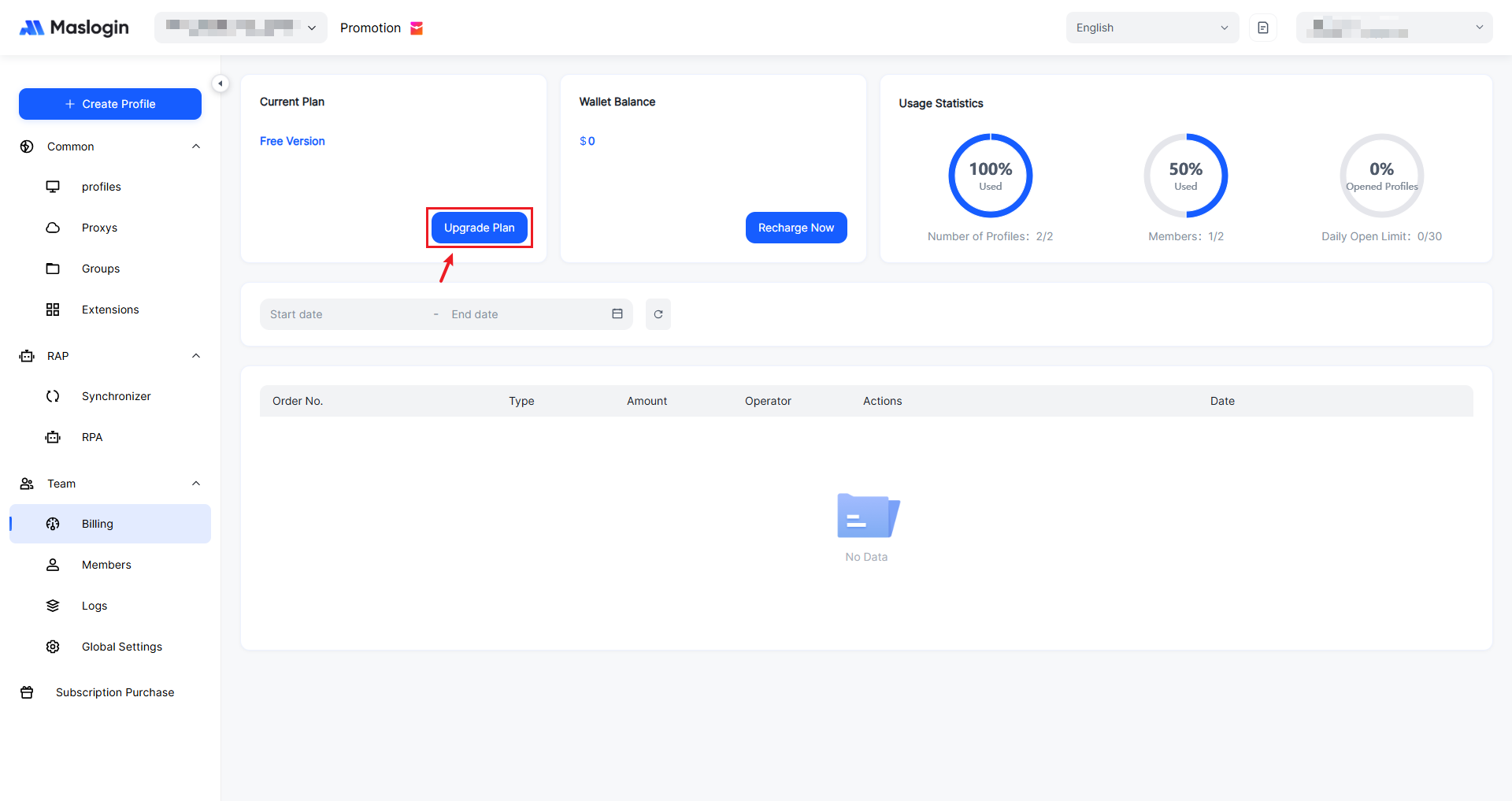
Click 【Upgrade Plan】 to view details of all plans, choose a plan, and submit an order.
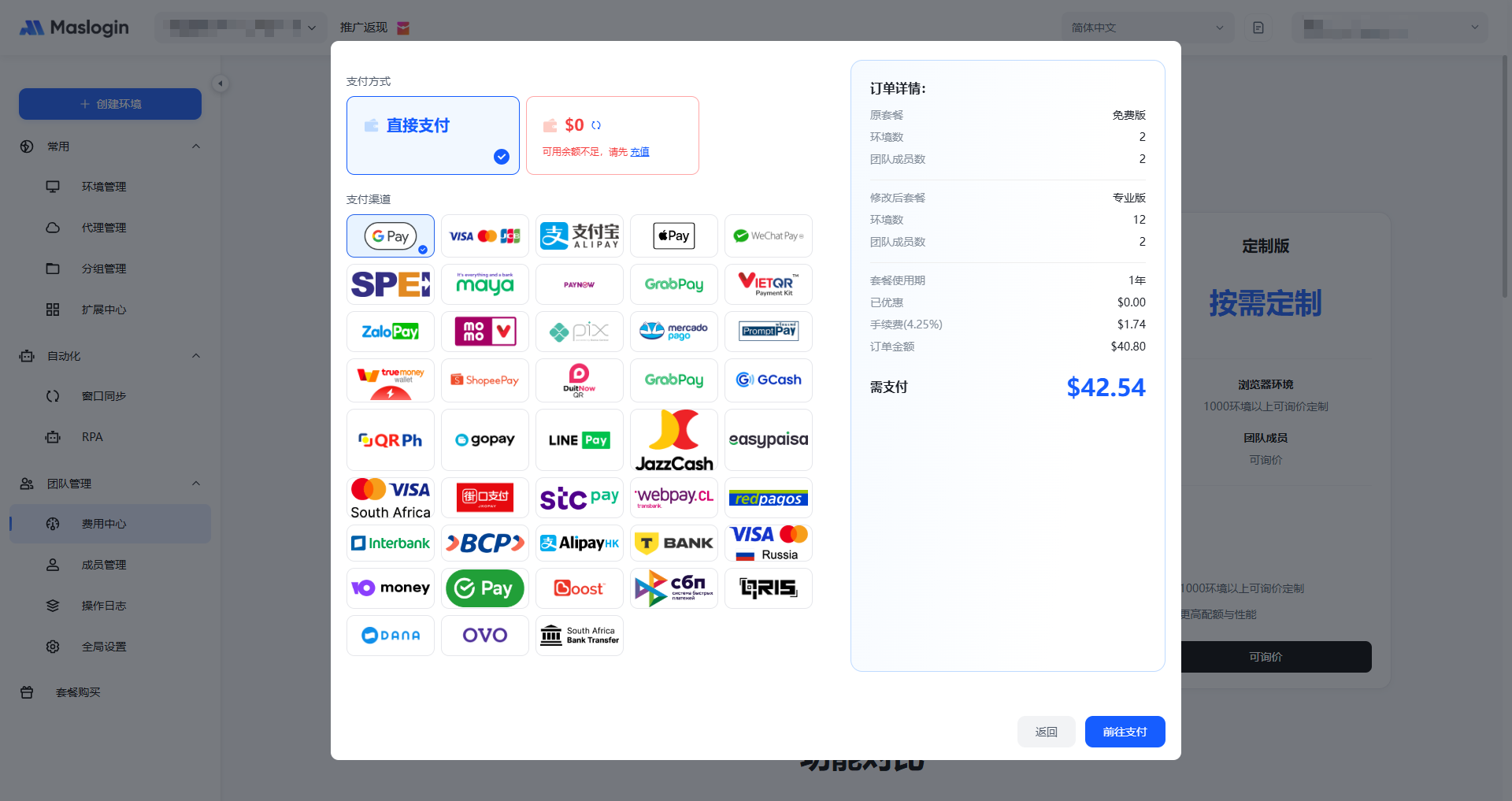
MasLogin currently supports 43 payment methods, including e-wallets, local payments, international and local bank cards/online banking options such as GPay, Alipay, Apple Pay, WeChat Pay, and Visa/Mastercard.
Top up your wallet
Click 【Rechange Now】 to add funds to your wallet, making it easier to pay charges using your wallet balance.
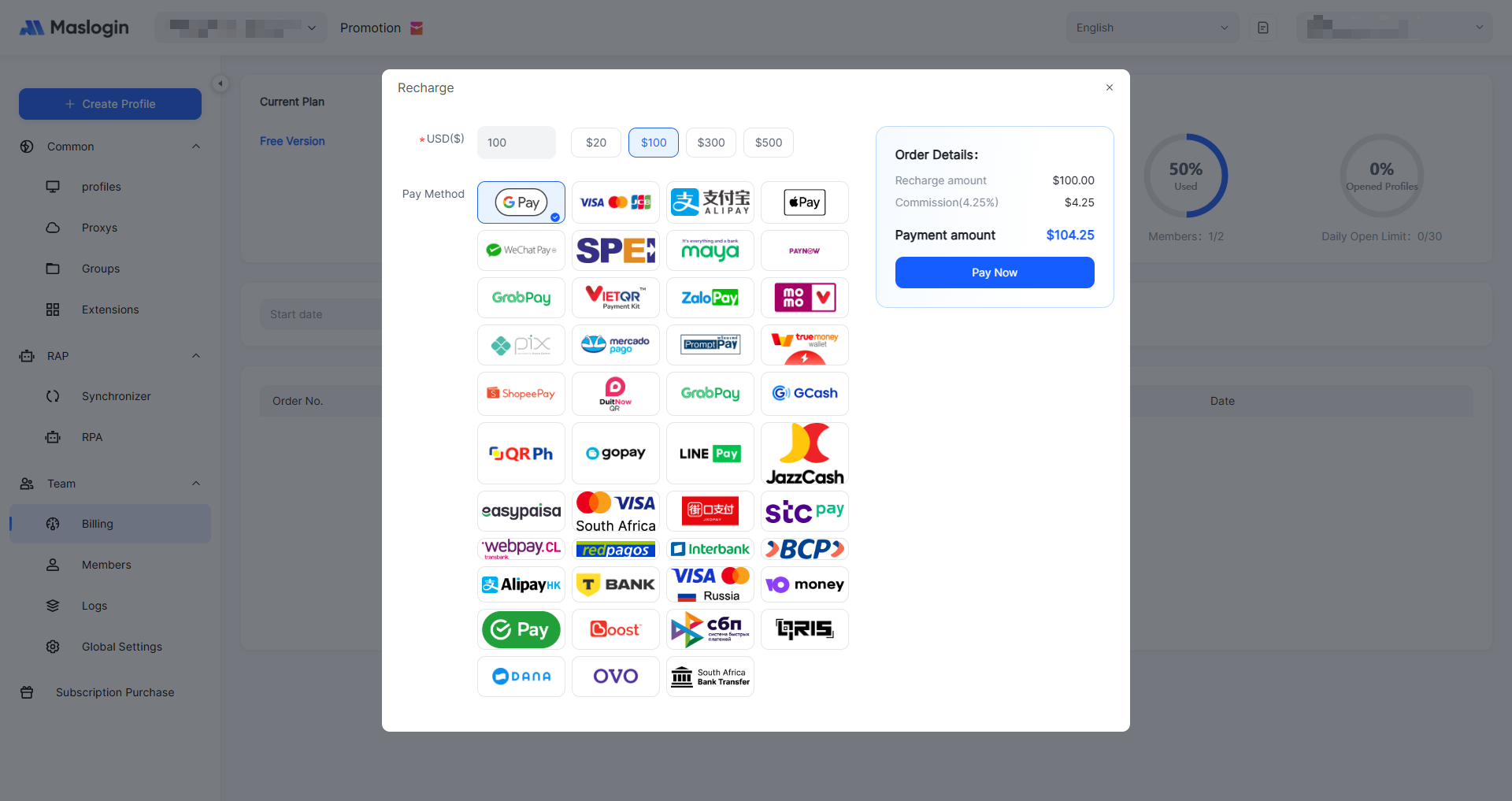
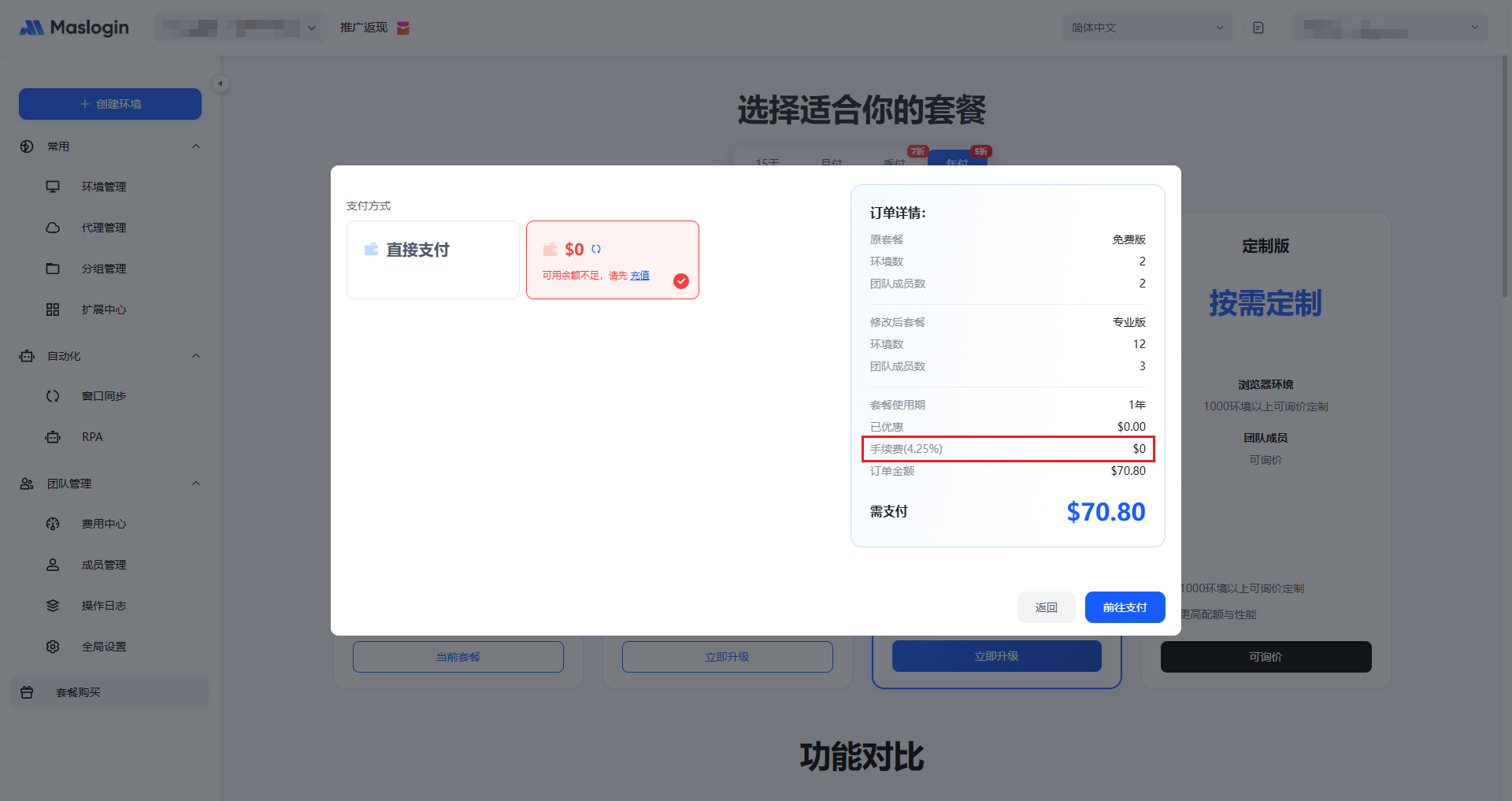
Note: A processing fee is already included when you top up your wallet. When paying with your wallet balance, no additional payment fee will be charged.