by · MasLogin · November 24, 2025
If you want to switch your team’s current subscription plan to a different plan, please follow the guide and notes below.
Change Plan Steps
1. View plan details
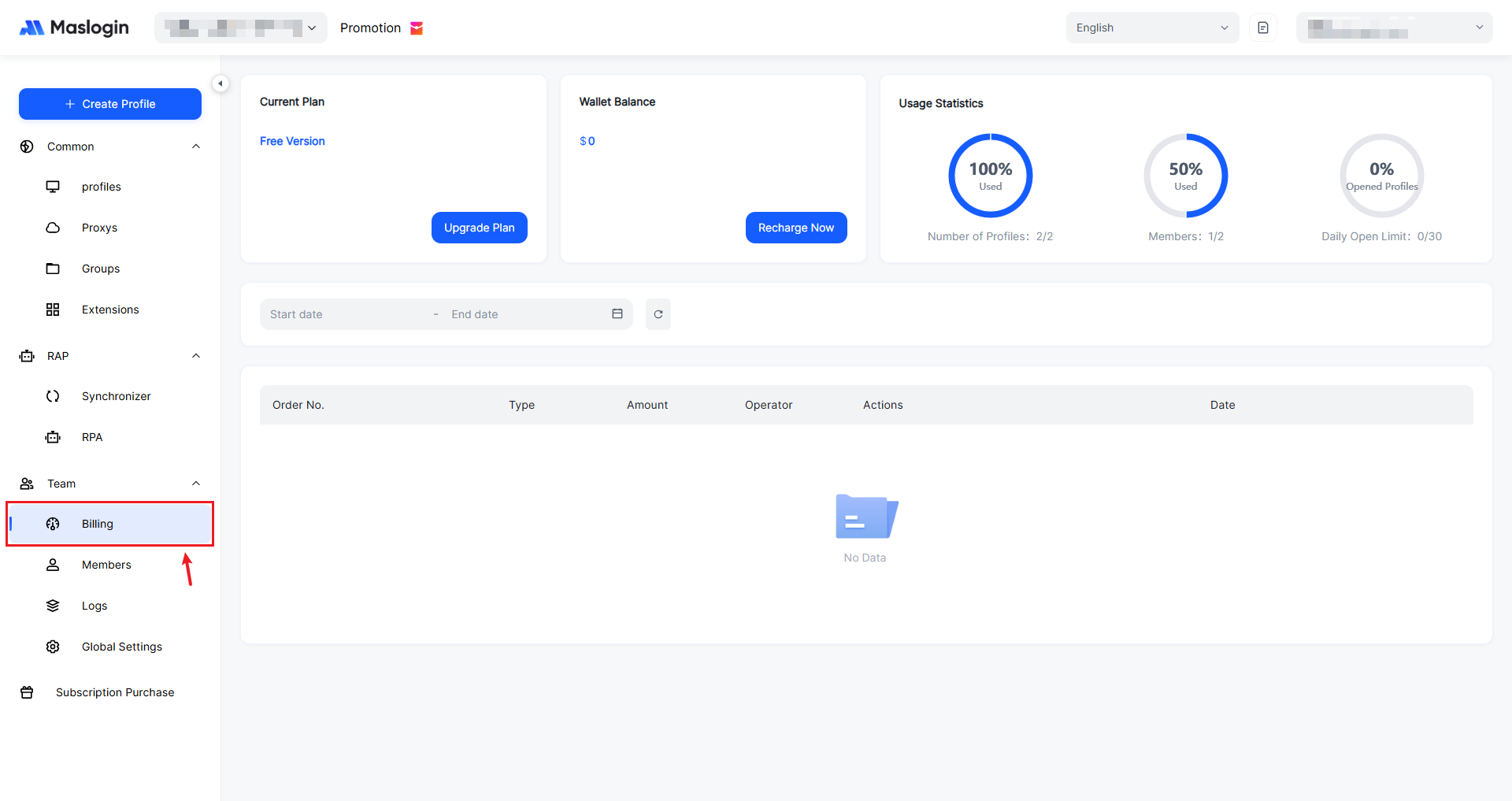
- Open and sign in to MasLogin, then go to 【Team】 - 【Billing】 in the left sidebar.
2. Change your plan
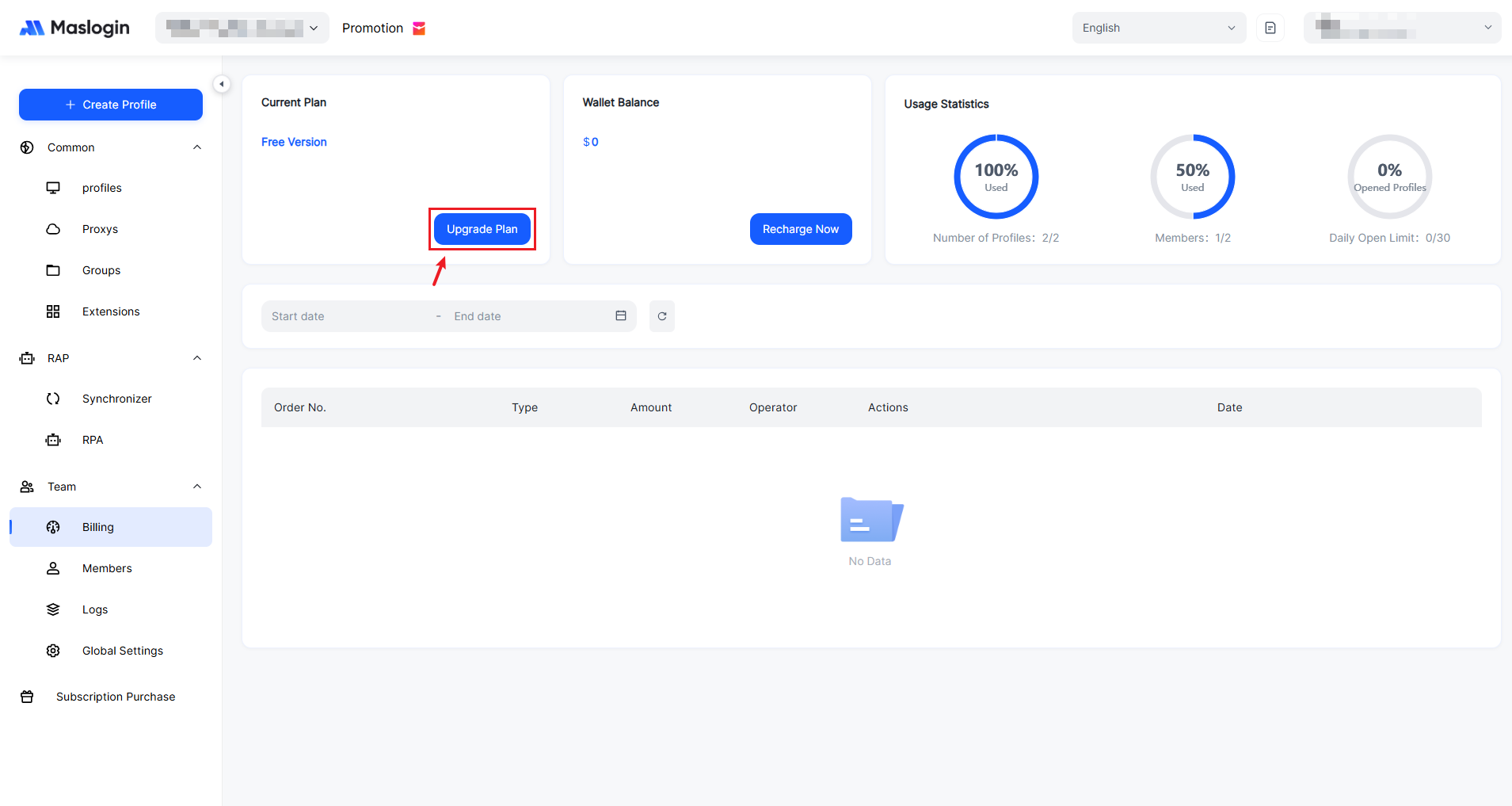
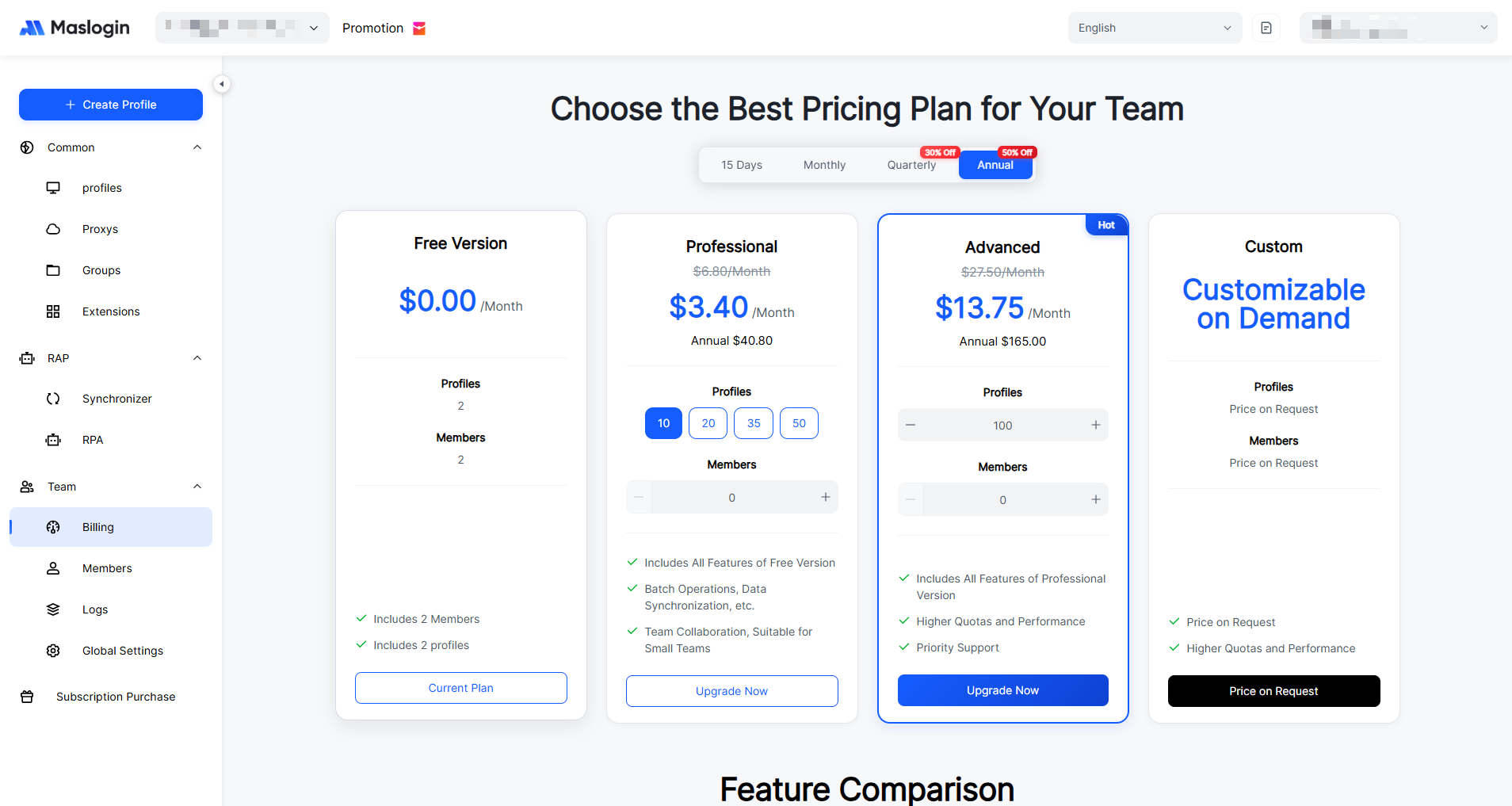
- Click 【Upgrade Plan】, select the plan you want to subscribe to, submit the order, and complete payment to finish updating your subscription plan.
3. View the billing breakdown
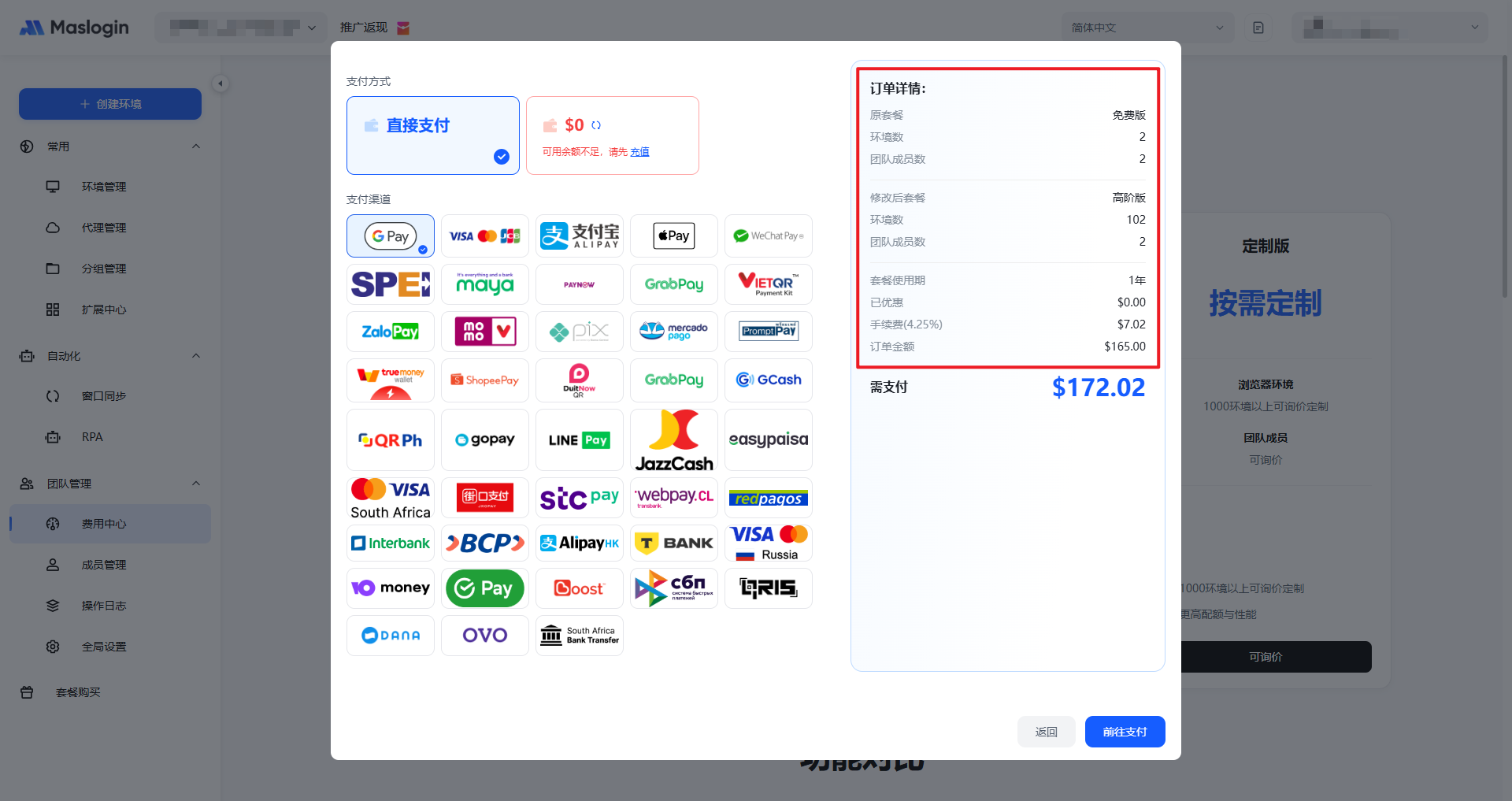
- After clicking 【Upgrade Now】, you can view an itemized breakdown of the charges payable for the selected plan change.
FAQ
Q: Will features take effect immediately after upgrading?
A: Yes. After payment is successful, the environment quota, member quota, and related feature permissions take effect immediately. No reinstallation or sign-out is required.
Q: Can I upgrade my plan at any time?
A: Yes. You can increase the number of environments or team members at any time. The system will automatically calculate the prorated price difference based on the remaining billing period. The change takes effect immediately after payment, with no need to recreate environments or sign out.
Q: Can I reduce the number of environments or members if I don’t need that many for now?
A: No. During the current billing period, reducing environments or members is considered a “downgrade” and is not supported. No refunds will be issued, and changes cannot be made mid-cycle.
Q: When will a downgrade take effect after changing to a lower plan?
A: If you want to reduce the number of environments or members, you need to set it in advance before the next billing cycle starts. Any reduction during the current billing cycle is not supported and no refund is available. The system will rebill based on your updated quantities when the new cycle begins.
Q: What happens when the plan expires?
A: Plan expiration will not immediately affect existing environments, but you will no longer be able to create new environments or use advanced features. We recommend renewing in advance to keep your business running smoothly.
Contact Support
If you have any questions about billing or changing plans, scan the QR code below to contact our support team via Telegram.