In 2025, TikTok is facing regulatory pressure, bans, and uncertainty in different regions around the world. As a result, many content creators, e-commerce sellers, and brands are actively looking for “the next growth platform.”
This is where RedNote, the international version of Xiaohongshu, quietly started to win users in overseas app stores and attracted a growing number of creators and viewers in a short time.
If you’re planning to build a RedNote multi-account setup for content, e-commerce or cross-border branding, this guide will walk you step by step through:
Put simply, RedNote is the international brand name of Xiaohongshu, mainly used in overseas app stores. As TikTok faces policy debates and restrictions in markets like the US, Xiaohongshu launched the RedNote brand for overseas users, aiming to capture more short-form video and lifestyle content creators.
From a product standpoint, RedNote combines short-form video + image/text posts + community + shopping/“recommendation”:
Compared to purely entertainment-driven platforms like TikTok, RedNote behaves more like a lifestyle and consumption community. Users come with strong intent—“I want to check real reviews, find trusted products, or see authentic experiences”—which makes it extremely powerful for e-commerce and brand conversion.
If you’re brand-new to RedNote, it helps to mentally visualize the entire onboarding process in four steps:
Next we’ll go through each step in detail so beginners can follow along easily.
For iPhone users:
On Android, in some regions you can search for “Xiaohongshu / 小红书” on Google Play. Depending on your region, the RedNote brand may appear automatically according to the store’s localization rules.
If you want to double-check you’re using the official product, you can also visit the official Xiaohongshu site:
When you open RedNote for the first time, you’ll usually see a welcome screen asking you to log in or sign up. Check the box for agreeing to the Terms of Service and then pick one of the sign-up methods.
This method is straightforward and ideal for primary, long-term accounts that you want to bind to a real phone number.
If you’re using an iPhone or iPad, another common option is to sign in with Apple:
If you want to understand how “Sign in with Apple” handles privacy and security, see:
This approach is great if you:
After creating an account, RedNote will guide you through:
To better “train” the algorithm:
Over time, your For-You-style feed on RedNote will become more accurate and more valuable.
RedNote / Xiaohongshu supports multiple interface languages, typically including Simplified Chinese, Traditional Chinese, and English.
The exact menu text may change slightly between versions, but the general path looks like this:
Pro tips: If your core audience is overseas, switching the interface to English makes it easier to understand backend and campaign details. If you’re based in China but targeting overseas users, you can keep your device language in Chinese while creating content primarily in the target language inside RedNote.
In real-world operations, many people don’t stop at “just one RedNote account”. Common multi-account scenarios include:
From a platform policy perspective, owning multiple RedNote accounts is not automatically forbidden. What RedNote is more sensitive to is:
This is why environment isolation and behavior compliance are both crucial.
If you only have one or two accounts for casual use, switching accounts on your phone is usually enough.
But once you want to systematically manage multiple RedNote accounts—especially when combined with TikTok, Instagram, YouTube and other platforms—it’s highly advisable to introduce an anti-detect fingerprint browser like MasLogin into your workflow.
MasLogin’s core capability is to create many fully isolated browser environments on a single computer, so each account looks like it’s running on a different real device. That dramatically reduces the risk of account linkage via browser fingerprinting and IP.
Below are four key angles to show how MasLogin can help with RedNote multi-account management.
In some regions, accessing RedNote / Xiaohongshu can be unstable or limited, or you may want to run accounts focused on different markets (e.g., Southeast Asia vs. Europe vs. North America).
With MasLogin, you can:
This lets you mimic real user environments for multiple markets under legal and platform-compliant conditions, instead of piling all accounts onto the same device/IP and hoping you won’t be flagged.
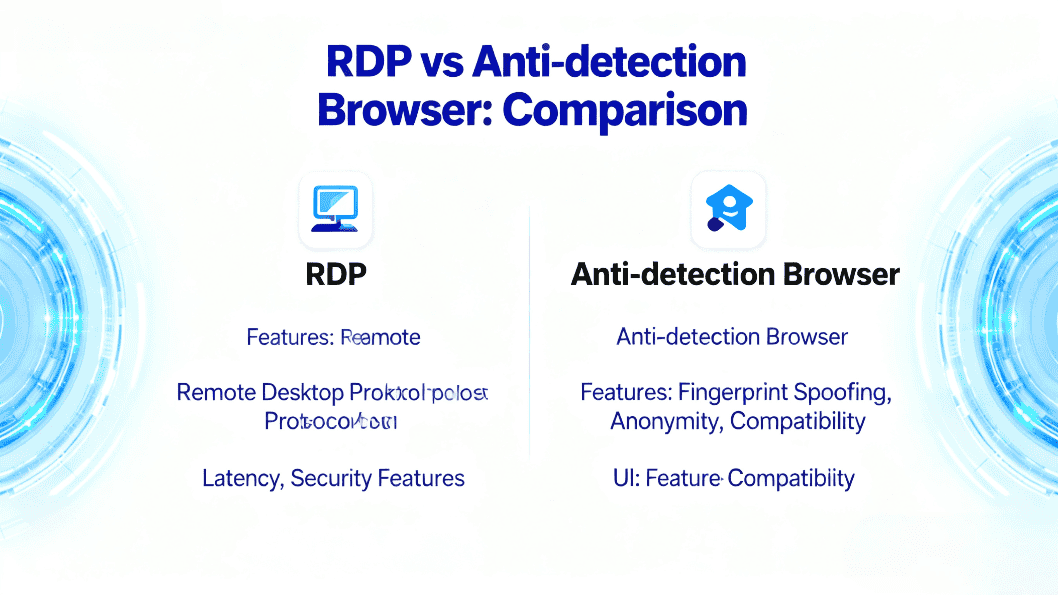
If you’re currently using traditional RDP (Remote Desktop) or raw “IP changer tools” to manage accounts, you should understand the differences and risks compared to fingerprint browsers:
👉 Deep dive: RDP vs Anti-Detect Browser – Why Modern Multi-Account Ops Need MasLogin
Important disclaimer: No tool can guarantee “zero bans”. Ultimately, whether an account survives depends on your behavior—are you compliant? Are you spamming? Are you faking engagement?
What MasLogin can do is help you remove avoidable technical linkage risks, by:
If you want to understand how browser fingerprinting leads to account linkage and bans, read:
👉 Complete Browser Fingerprinting Guide – Why It Matters for Multi-Accounts
For teams and serious operators, the challenge isn’t just “can I grow multiple accounts”, but:
With MasLogin, you can:
The same approach MasLogin uses for managing multiple Google accounts can be applied to RedNote and other platforms. For example:
👉 How to Efficiently Manage Multiple Google Accounts on One PC
Without a proper tool, multi-account collaboration usually looks like this:
With MasLogin, you can:
Over the long term, this approach both hardens your security and makes team collaboration more organized and auditable.
If you’re new to MasLogin, here’s an installation and onboarding guide:
👉 MasLogin Installation and Registration Guide
Q1: Are RedNote and Xiaohongshu two different apps?
No. Think of them as the same product under different brand names. In China it’s commonly called Xiaohongshu (小红书), while overseas app stores and media often refer to it as RedNote. Both share the same ecosystem of accounts, content, and features.
Q2: Is it allowed to have multiple RedNote accounts?
The real issue isn’t “how many accounts you own” but what you do with them. If you use legitimate contact info to register accounts and behave in a compliant, non-spammy way, reasonable multi-account operations are possible.
However, piling a lot of accounts onto the same device/IP and performing similar abnormal actions is very likely to trigger risk flags. This is exactly why tools like MasLogin help by isolating environments.
Q3: Will using MasLogin to manage multiple RedNote accounts make me more likely to get flagged?
No. MasLogin is designed to make each account environment look like a normal standalone device with its own fingerprint and network, rather than a cluster of identical browser sessions.
As long as you follow RedNote’s rules and do not engage in abuse, bots, or spam, using MasLogin actually helps you reduce accidental bans caused by technical linkage, not increase them.
Q4: Do I need strong technical skills to use MasLogin?
Not at all. MasLogin is operated similarly to a regular browser:
There are step-by-step guides and a help center. Most users can get comfortable within an hour, even without a technical background.
Q5: Is MasLogin a paid tool? Is it suitable for small teams?
MasLogin offers a free entry tier and multiple paid plans based on the number of profiles, team features, and automation needs.
For solo creators and small teams just starting with RedNote, you can begin with the free or entry plan and upgrade later as your multi-account matrix grows. Please refer to the latest pricing and promotions on the official site:
👉 MasLogin Official Website
Outline
_00000.png)