In today's era of escalating traffic costs, how can businesses forge closer connections with their customers? The answer might be right in your pocket – WhatsApp Business. This completely free application has become a powerful ally for numerous businesses in customer service and marketing. Whether you're a small startup or an established brand, you can find suitable use cases within it.
This article will take you on a deep dive into the core functionalities, practical applications, and real-world brand marketing cases of WhatsApp Business, helping you quickly master this underestimated marketing tool.
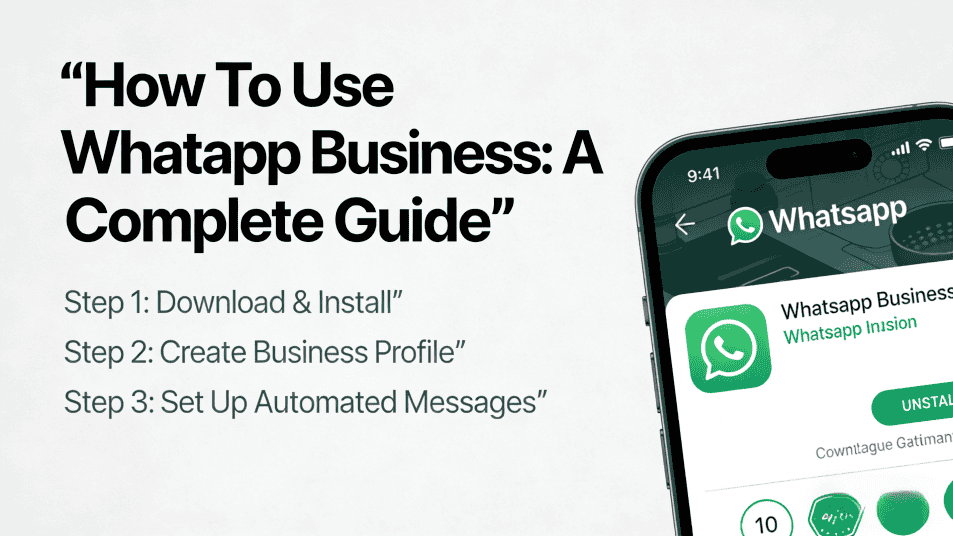
WhatsApp Business is a messaging app designed by Meta specifically for businesses, operating entirely independently from the personal WhatsApp we use daily. Its core advantages lie in:
It's important to note that when installing WhatsApp Business, the system will ask if you want to import your existing contacts. If you plan to use the business account long-term, it's recommended to retain your existing contact history. However, if you need to distinguish between work and personal life, you can opt to start fresh – just remember that deleted chat history cannot be recovered.
Many business owners might ask: "I already have a customer service email and a website, why do I need another communication channel?" The answer is simple: Be where your customers are.
Imagine this scenario: Late on a weekend night, a customer places an order from abroad and sends an inquiry, but your team has already clocked out. The traditional approach would be to wait until the next business day to respond. However, with WhatsApp Business, you can set up automated replies in advance:
"Hello! Thank you for contacting us. We are currently outside of business hours and will respond as soon as possible between 9:00 AM and 6:00 PM on weekdays. For urgent matters, please visit our help center: [Link]"
This instant feedback not only reduces customer anxiety but also demonstrates professionalism.
For frequently asked questions, you can create quick reply templates. For example:
/thanks automatically generates: "Thank you for your order! Shipping information will be sent to your email within 24 hours."/return automatically displays the return policy and steps.This setup is particularly beneficial for cross-border e-commerce businesses or those with limited customer service staff, significantly reducing labor costs while ensuring service quality.
In addition to text communication, WhatsApp Business also supports:
Compared to traditional email exchanges, this instant interaction aligns better with modern consumer communication habits.
Theory is good, but seeing is believing. The following three cases demonstrate innovative approaches by businesses of different scales.
In 2020, Adidas launched a WhatsApp marketing campaign called "100% Unfair" to promote its new Predator football boots. They used WhatsApp to message amateur football teams, offering a special service – the rental of a "professional substitute player."
Here's how it worked: When an amateur team couldn't field a full 11 players due to last-minute absences, they could book a professional player wearing the new boots to come and support them via WhatsApp. For fans, this was an opportunity to get up close with their idols and witness the boots' performance in action; for Adidas, the campaign increased brand exposure and gathered valuable user feedback data.
French telecom operator Orange integrated WhatsApp Business into its customer service system to handle common inquiries such as order tracking, return requests, and plan consultations.
Through automated replies and quick templates, customers could resolve most issues independently within minutes, without having to wait on hold for a customer service call. This initiative not only improved customer satisfaction but also significantly eased the burden on the call center. It's reported that Orange handled over 30% of its inquiries through this channel.
For small catering businesses, WhatsApp Business can almost entirely replace traditional phone ordering systems. Customers can:
Compared to developing a standalone app or using third-party platforms, the zero-cost advantage of WhatsApp Business empowers small businesses to offer professional digital services.
The setup steps are very simple:
For cross-border e-commerce sellers or agency teams, managing multiple WhatsApp Business accounts is a common requirement. However, WhatsApp is highly sensitive to frequent account switching and logging in from different locations, which can trigger account suspension risks.
This is where MasLogin Anti-Detection Browser can provide a solution. By configuring a separate browser environment for each WhatsApp account, MasLogin can simulate a real user's operational behavior, preventing the detection of linked accounts. Whether you are managing 5 or 50 business accounts, you can switch and operate securely and efficiently on the same computer.
For more tips on how to avoid platform risk control, you can refer to MasLogin's Help Center or check the Glossary to understand relevant technical concepts.
While WhatsApp Business is powerful, the following points require special attention:
Yes, WhatsApp Business itself does not charge any fees. Meta also currently has no paid features for business users. However, if you use the WhatsApp Business API (suitable for large enterprises), there may be integration fees from third-party service providers.
Yes. WhatsApp Business and the personal version of WhatsApp are two separate applications that can be installed simultaneously on the same phone and logged in with different phone numbers.
You can set up an "Away Message" in "Business Tools" to clearly inform customers of your working hours. Additionally, registering with a separate business number (instead of a personal one) can effectively separate work and personal life.
It is applicable to almost all industries that require direct communication with customers, including but not limited to: e-commerce, catering, beauty and hair salons, education and training, real estate agencies, travel services, etc.
Frequent account switching or logging in from different IP addresses can easily trigger risk control. It is recommended to use an anti-detection browser to create an independent digital fingerprint environment for each account, simulating real user behavior and reducing correlation risks.
Outline